Minorank SEO Inspector
The Minorank SEO Inspector is a free browser extension for Chrome and Firefox that analyses any webpage instantly, no login, no account, no data sent to servers. Open it on any site and get a full SEO audit covering content, technical, performance, links, social previews, keywords, and tracking tags.
Download links:
Installation
Chrome
- Click "Add to Chrome" on the Chrome Web Store page
- Confirm the installation prompt
- Click the Minorank icon in your browser toolbar on any webpage
Firefox
- Click "Add to Firefox" on the Mozilla Add-ons page
- Confirm the installation prompt
- Click the Minorank icon in your browser toolbar on any webpage
Overview Tab
The Overview tab gives you an instant SEO score (0–100%) and a pass / warn / fail breakdown across all critical on-page signals.
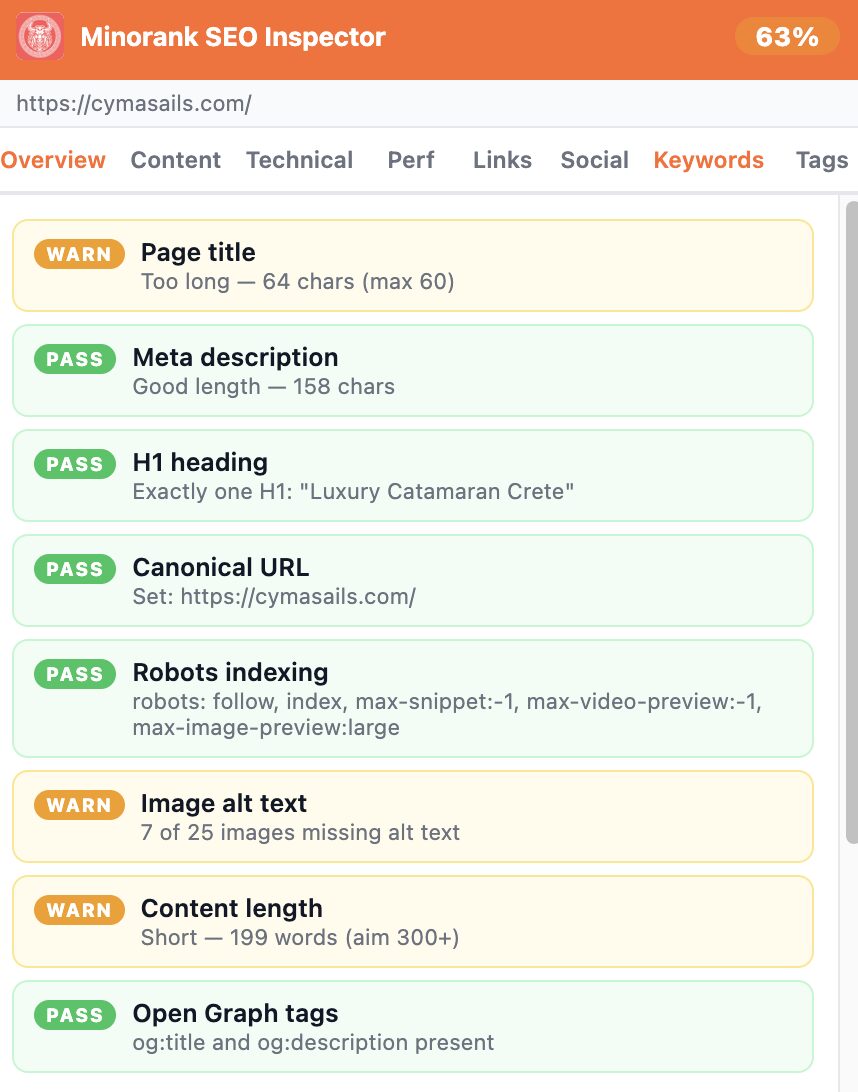
Checks include:
- Page title (length, presence)
- Meta description (length, presence)
- H1 heading (exactly one, content)
- Canonical URL (set or missing)
- Robots indexing (follow/noindex signals)
- Image alt text (missing count)
- Content length (word count vs. 300-word target)
- Open Graph tags (og:title, og:description)
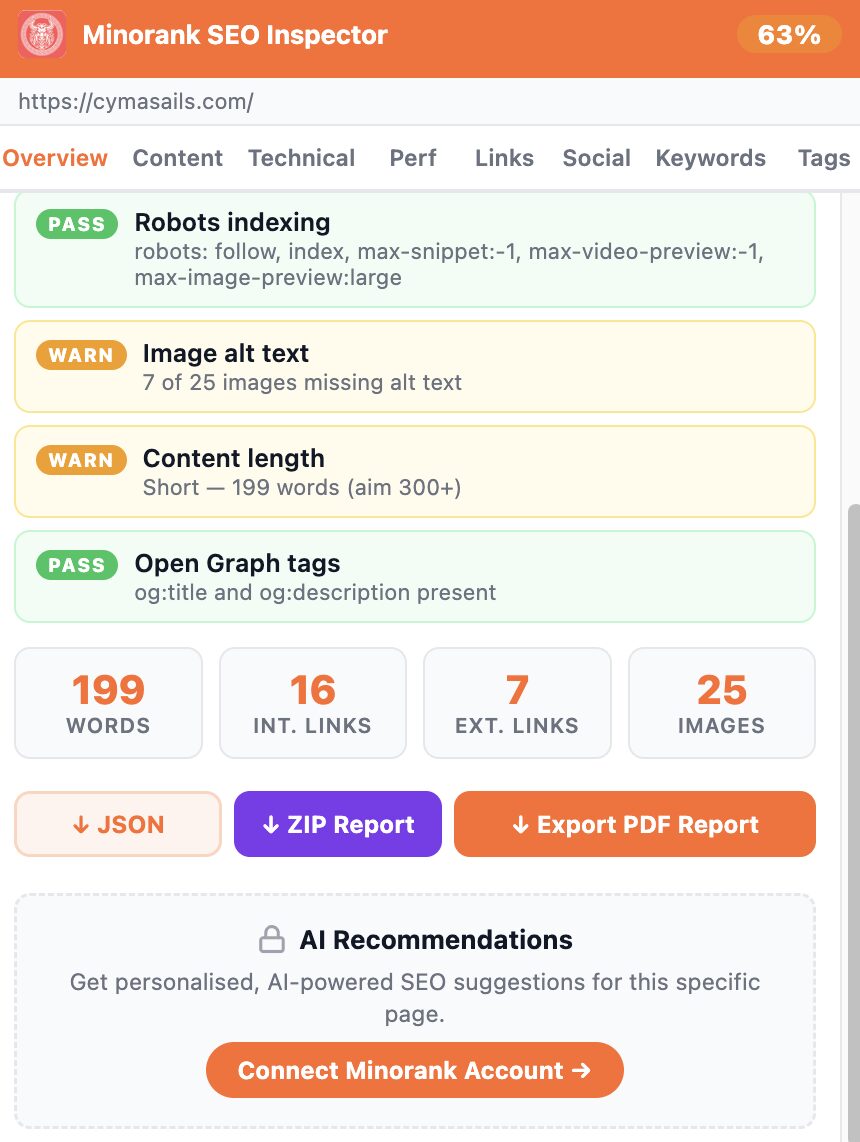
At the bottom of the Overview tab you'll find report export options and the AI Recommendations section (requires a connected Minorank account).
Content Tab
Meta Title & Description
Character-counted view of the page's meta title and description with a live progress bar and a "Copy" button on each.
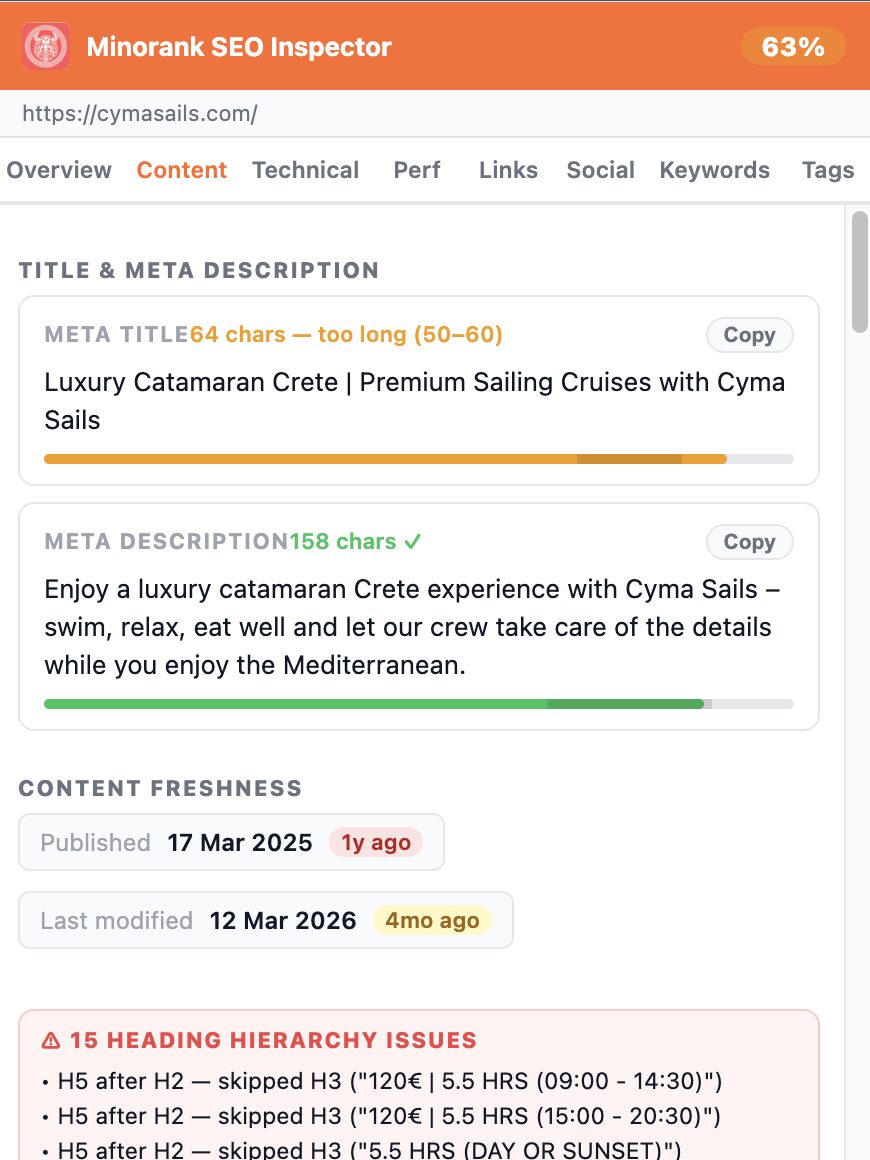
Also shows:
- Content Freshness, published date and last-modified date with relative age
- Heading Hierarchy Issues, detected H-tag skips (e.g. H5 after H2)
Heading Tree
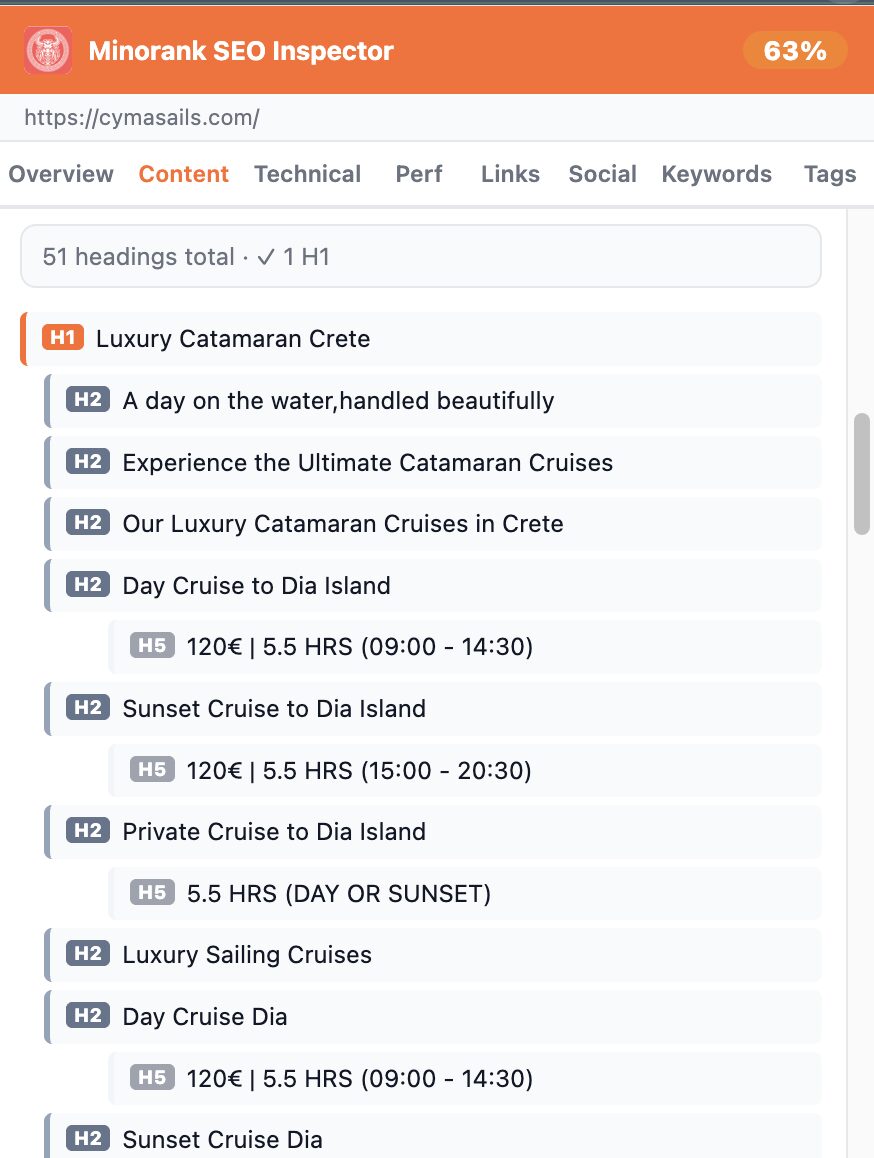
Full heading outline (H1–H6) with total heading count and H1 validation.
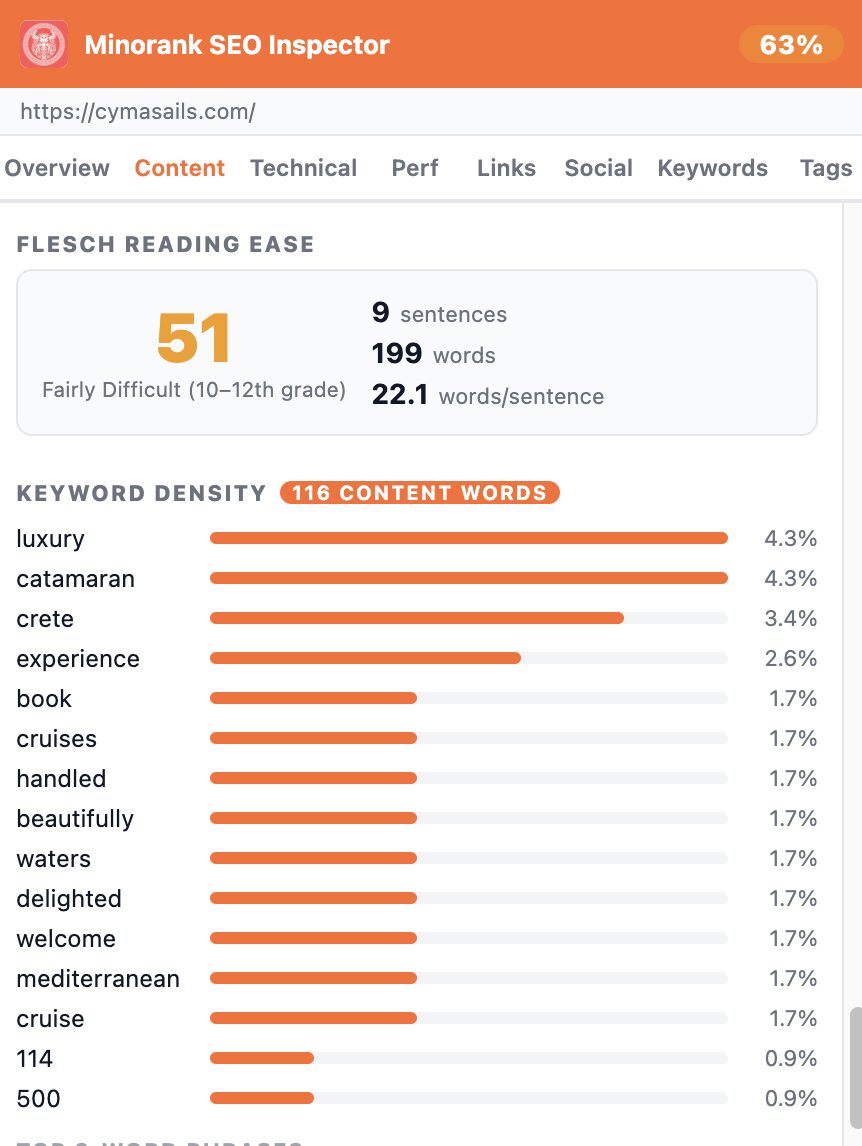
Keyword Density & Readability
- Flesch Reading Ease score with grade level
- Keyword density table sorted by frequency
- Top 3-word phrases
Technical Tab
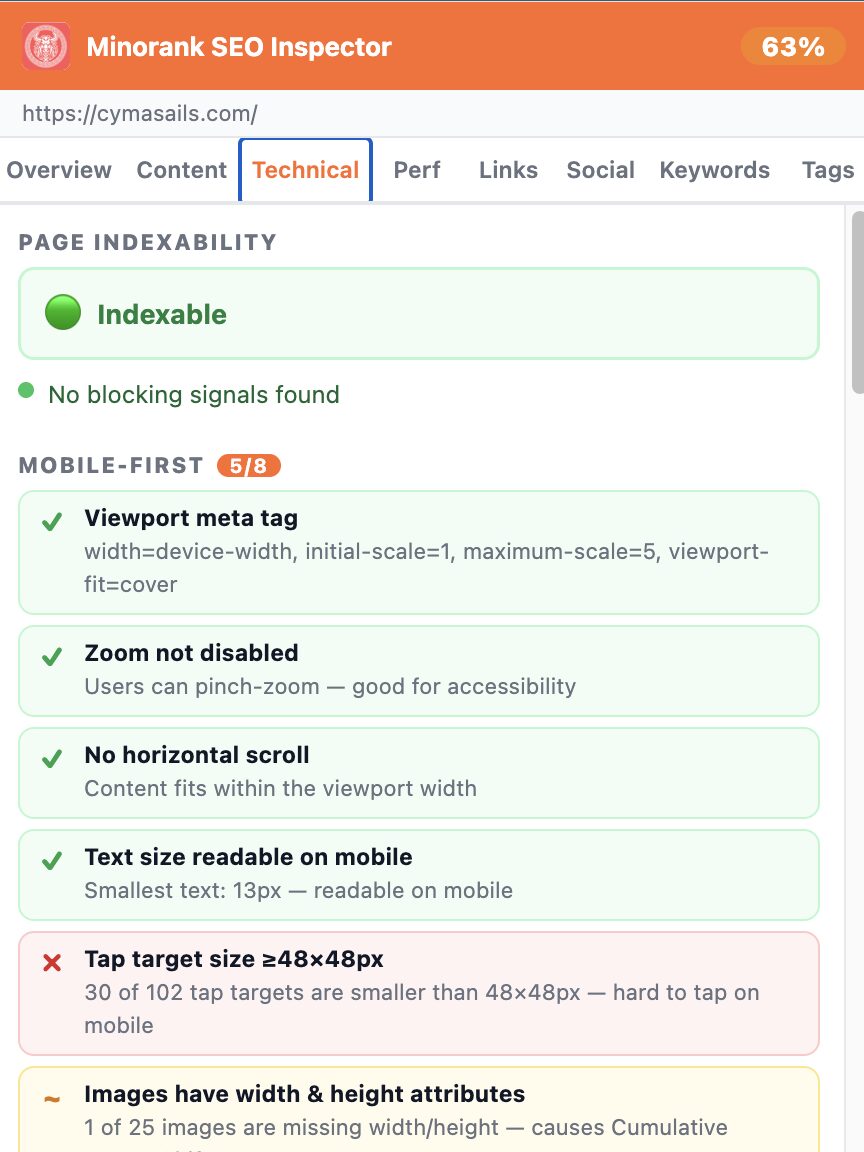
Mobile-First & Indexability
- Page Indexability, combined verdict from robots meta, robots.txt, and canonical
- Mobile-First, viewport tag, zoom, horizontal scroll, text size, tap target size, image dimensions
Redirect Chain & Robots
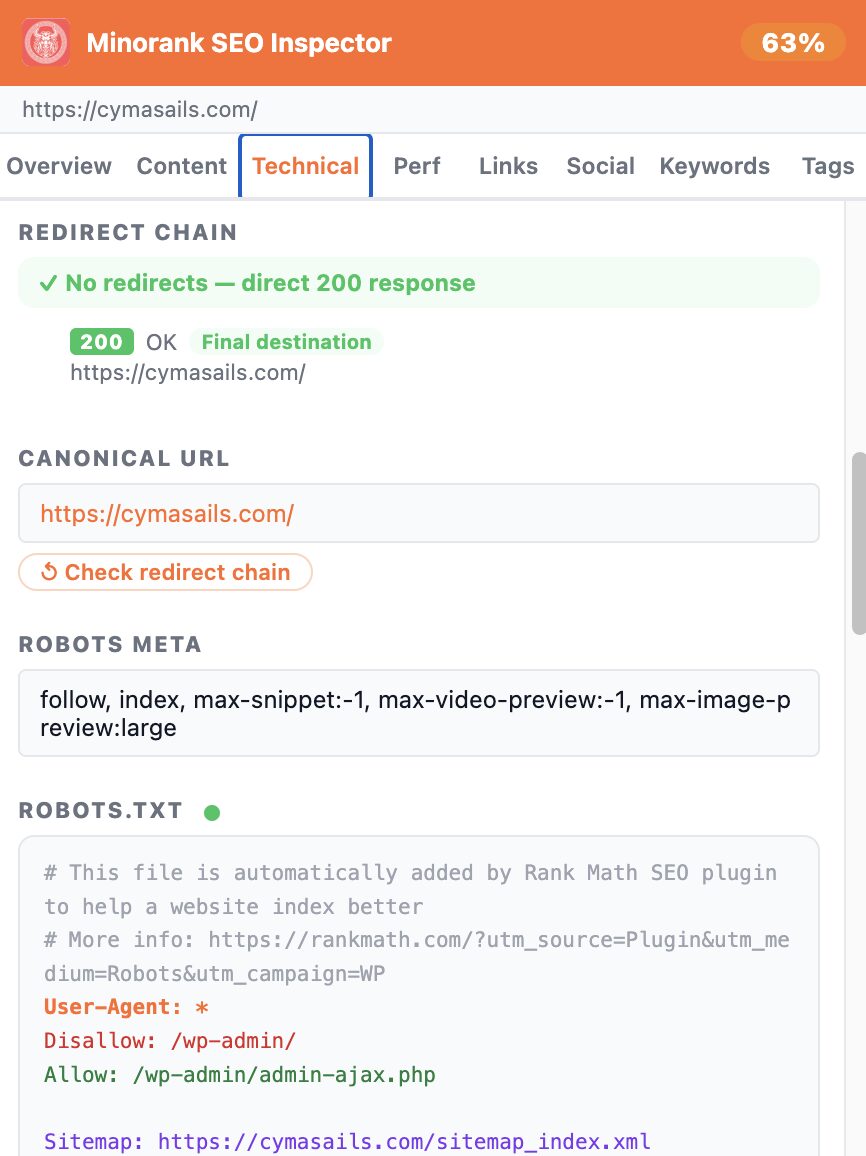
- Full redirect chain with HTTP status codes
- Canonical URL display
- Robots meta tag content
- robots.txt file viewer
Schema.org JSON-LD
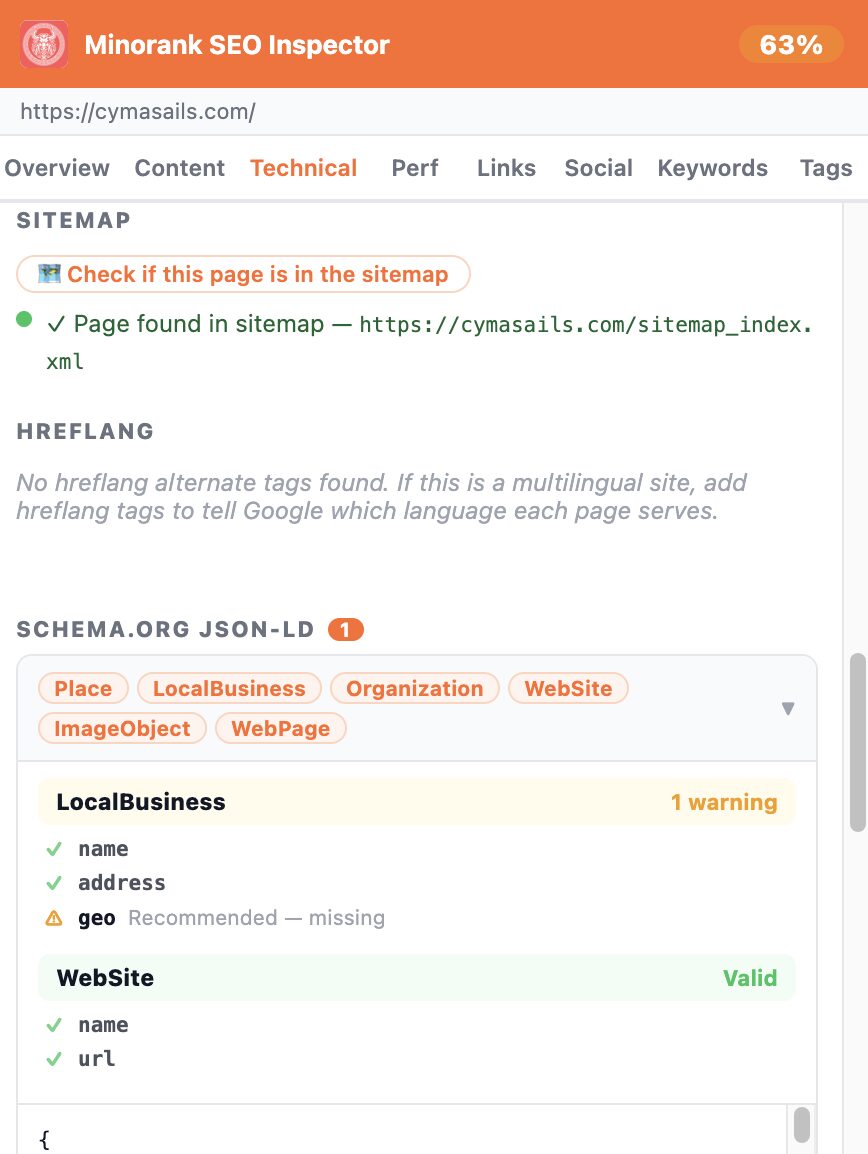
Detects and validates all Schema.org JSON-LD blocks on the page. Shows detected schema types, validates required and recommended fields, and displays the raw JSON.
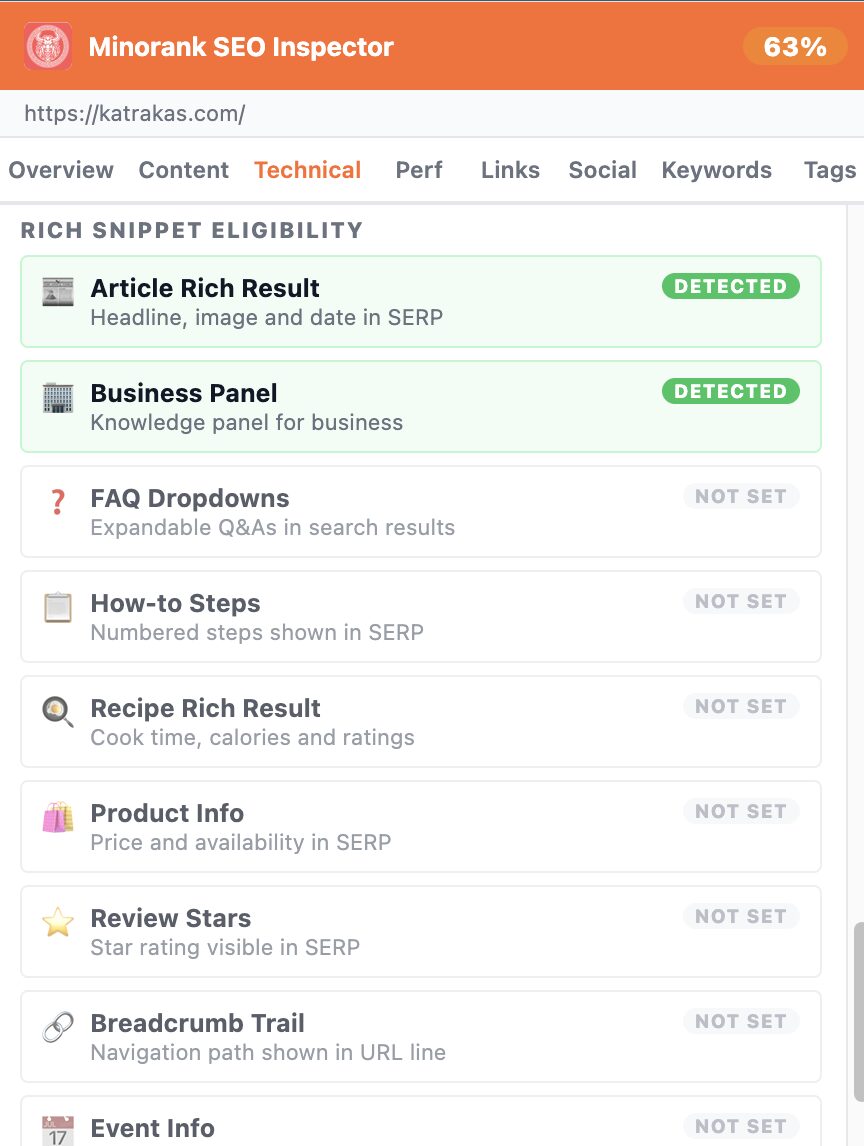
Rich Snippet Eligibility
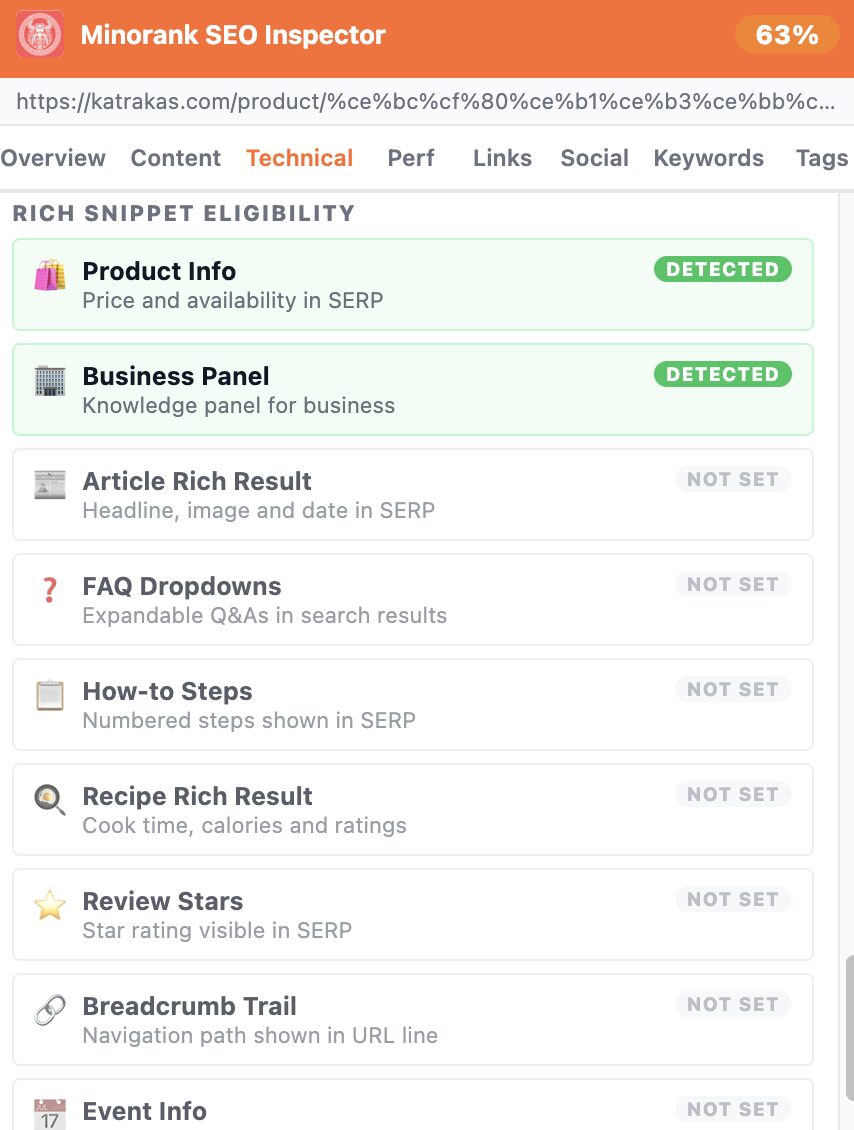
Shows which rich result types are detected or not set for the current page, Article, Product, FAQ, How-to, Review Stars, Business Panel, Breadcrumb, and more.
Also works on product pages:
Performance Tab
Speed Grade & Core Web Vitals
- Speed grade (A / B / C / F) with TTFB and full load time
- Core Web Vitals: LCP, CLS, INP, FID
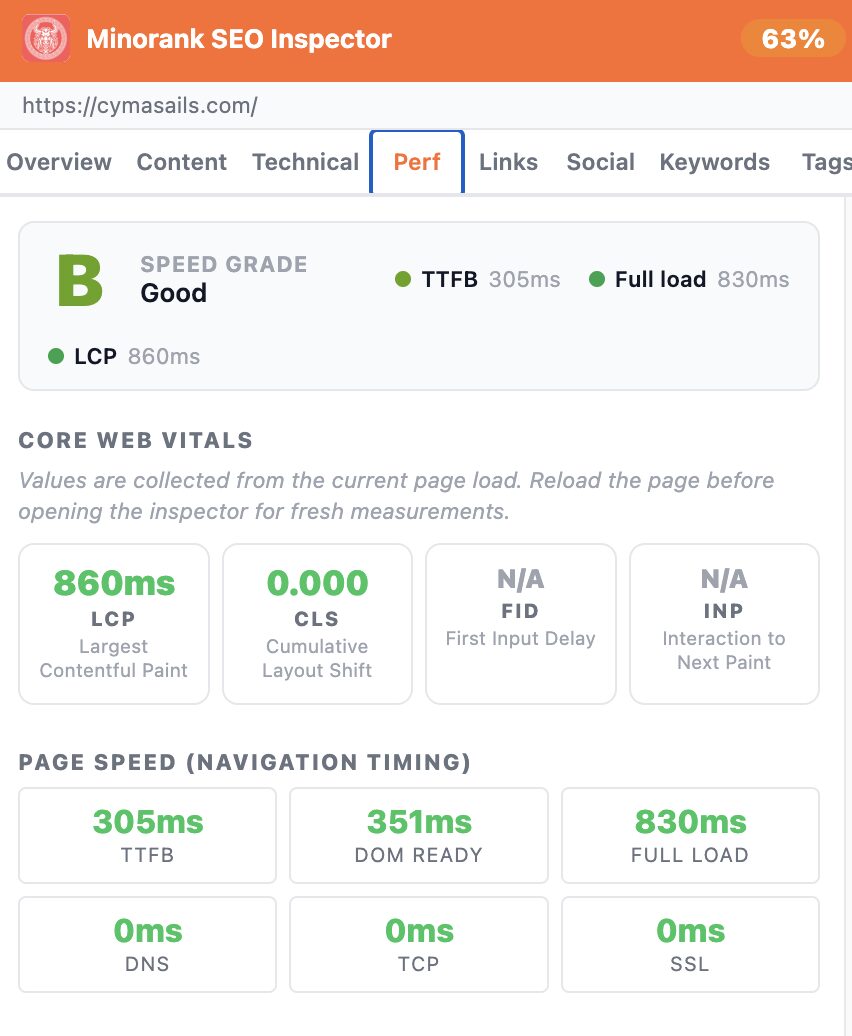
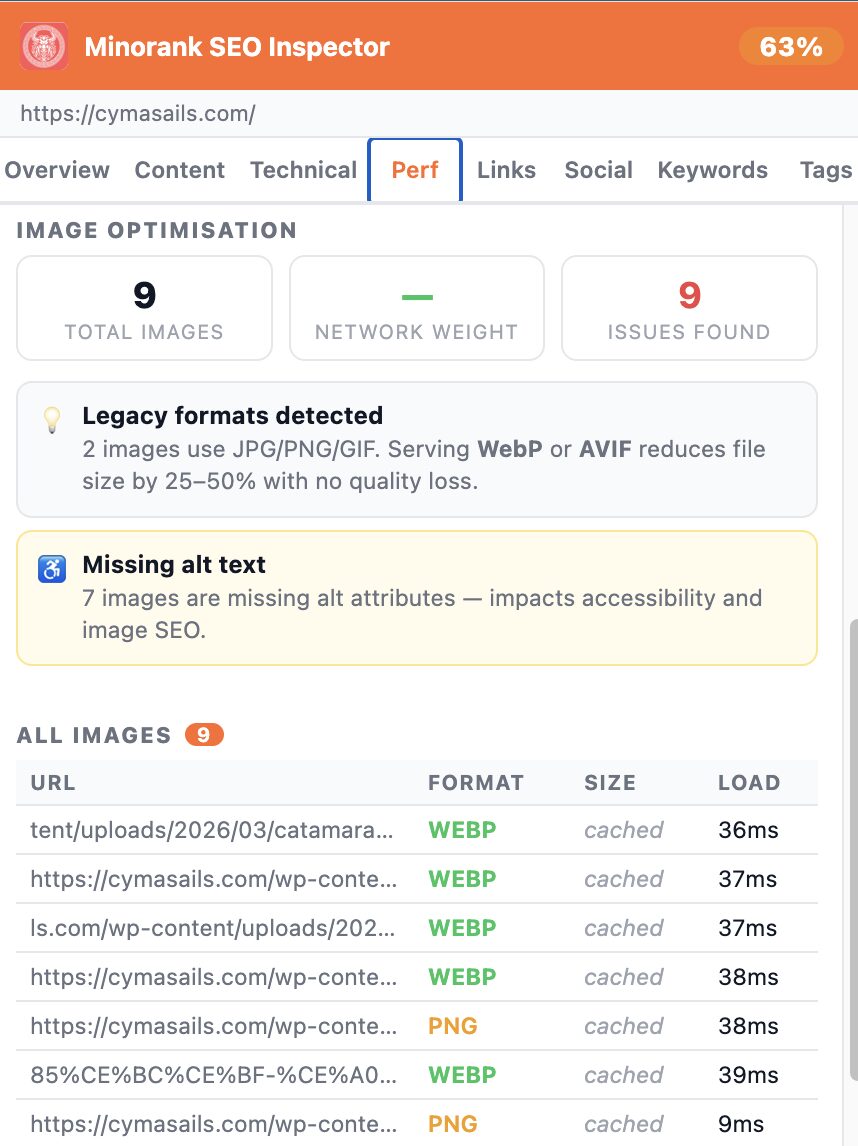
Image Optimisation
Lists all images on the page with format, network weight, and load time. Flags legacy formats (JPG/PNG where WebP/AVIF is possible) and missing alt attributes.
Links Tab
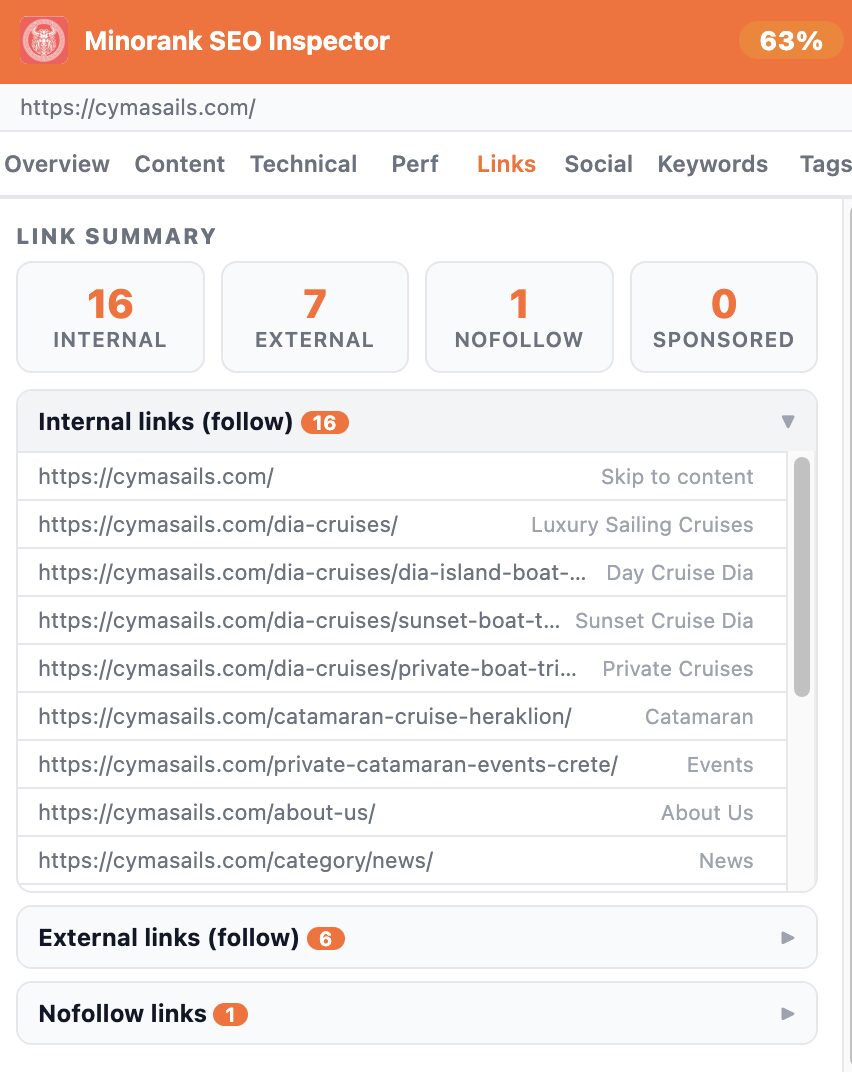
Full link inventory with a summary of internal, external, nofollow, and sponsored links. Expandable sections list each URL with its anchor text.
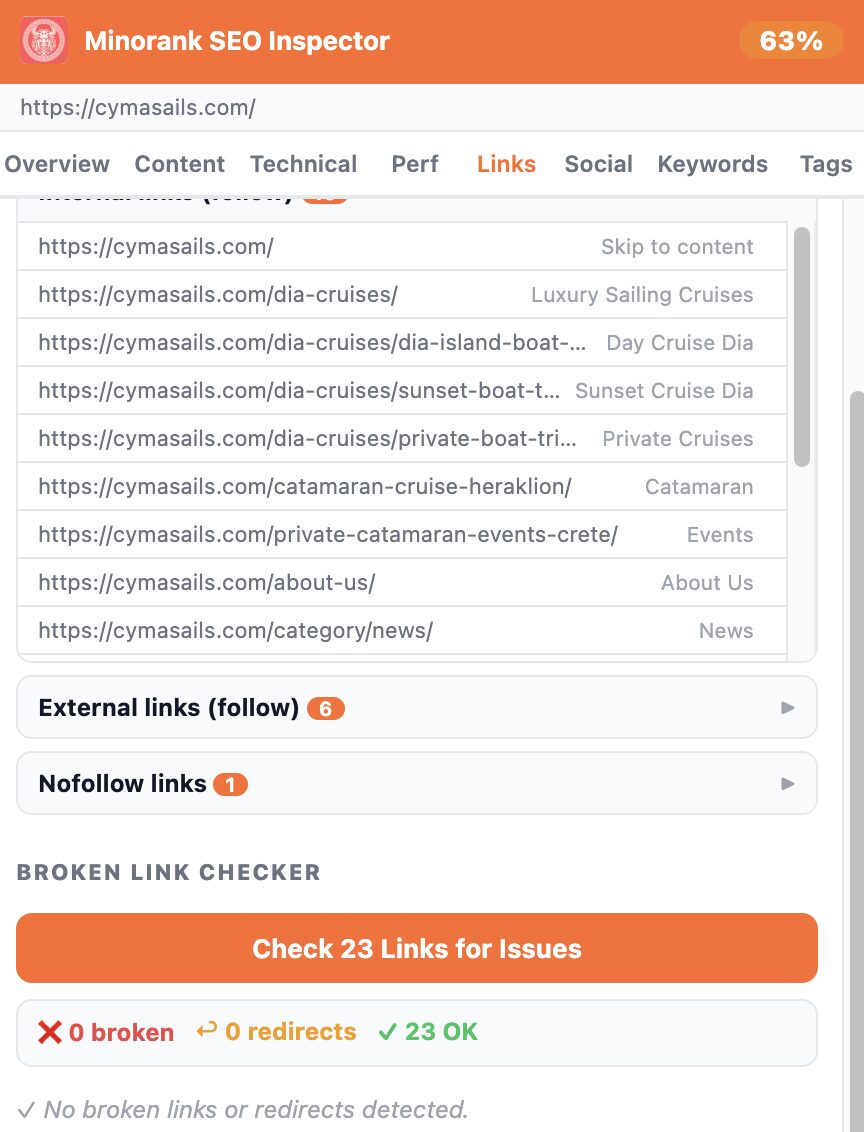
The Broken Link Checker scans all links on the page for 404s and redirects.
Social Tab
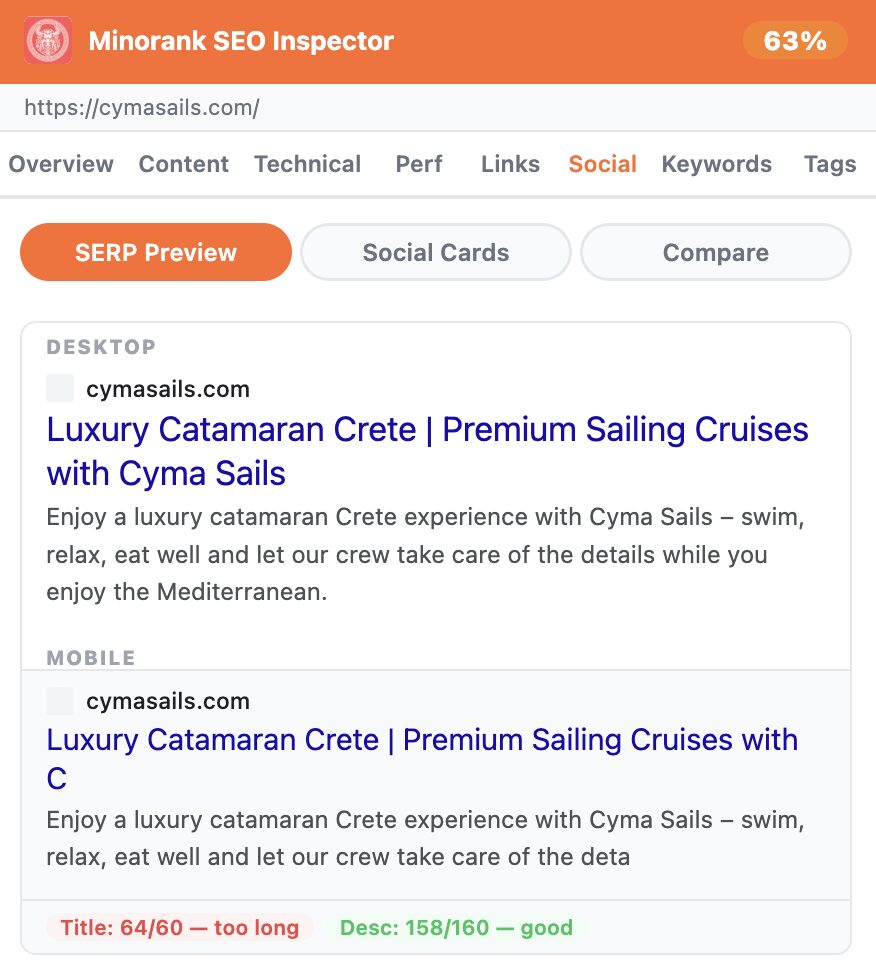
SERP Preview
Live Google SERP preview for desktop and mobile, with character count feedback on title and description.
Social Cards
Open Graph card preview for Facebook and LinkedIn.

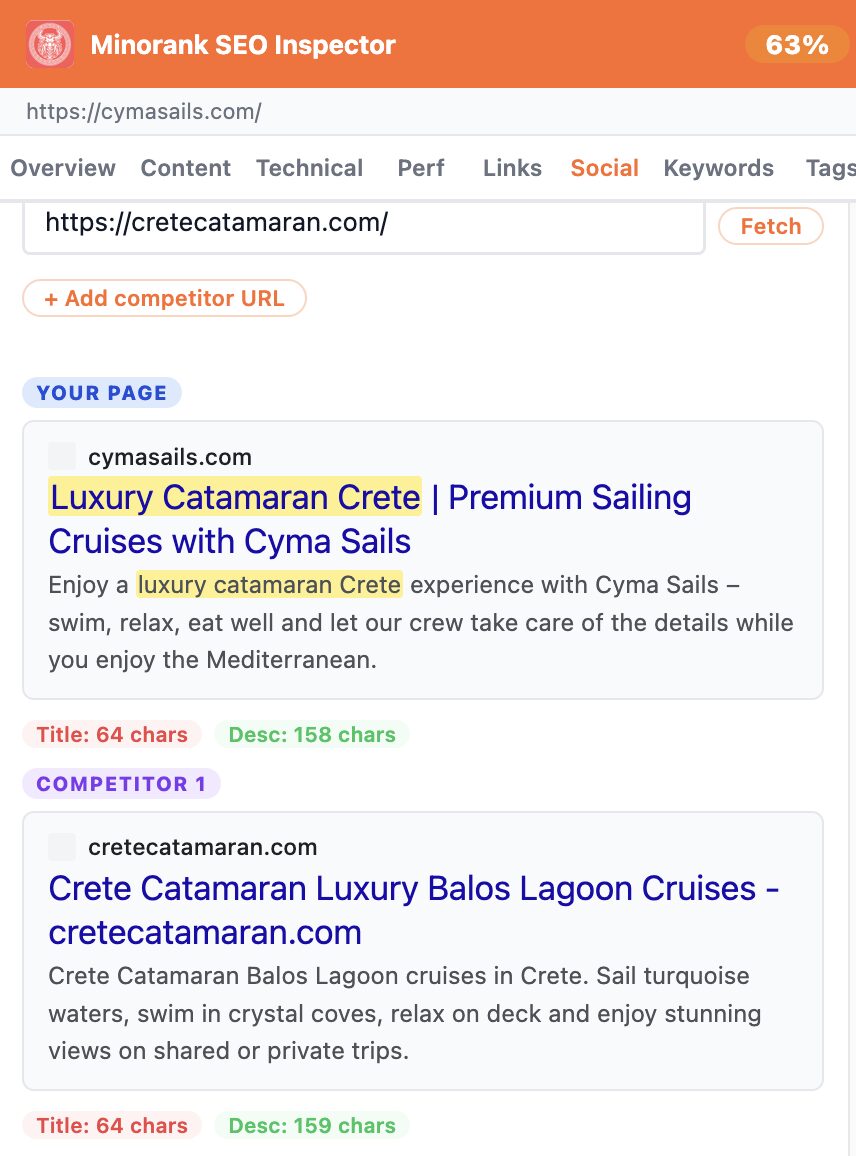
Competitor Compare
Paste a competitor URL and compare your SERP snippet side by side, title length, description length, and keyword highlighting.
Keywords Tab
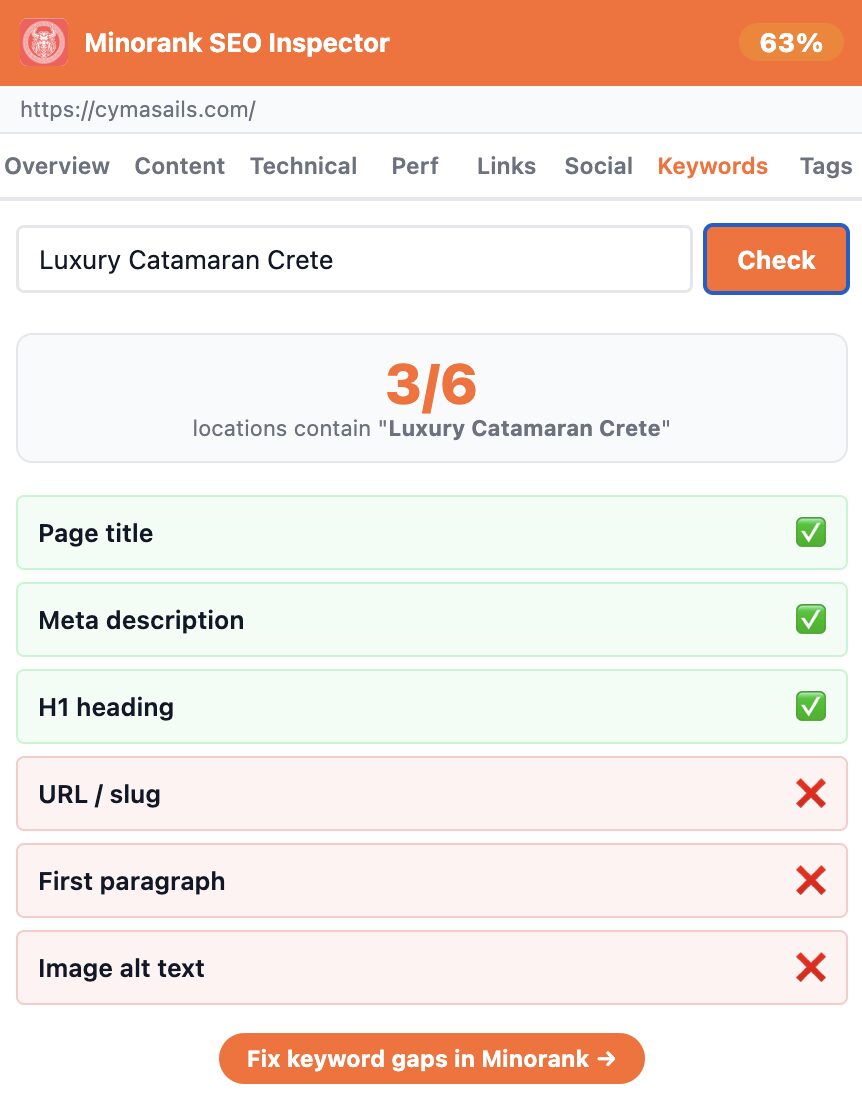
Enter a focus keyword and instantly see how many of the 6 key on-page locations contain it: page title, meta description, H1 heading, URL slug, first paragraph, and image alt text.
Tags Tab
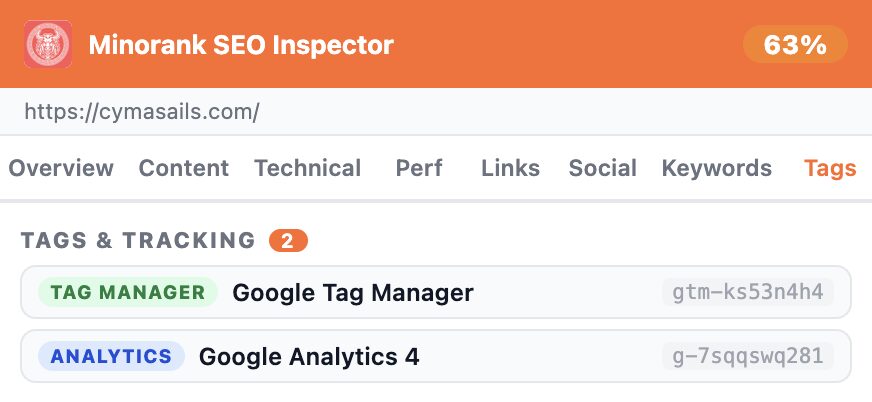
Detects 13 analytics and marketing tools on the page, showing each tool's name and account/container ID.
Detected tools include: Google Tag Manager, Google Analytics 4, Meta Pixel, Hotjar, Microsoft Clarity, HubSpot, LinkedIn Insight Tag, TikTok Pixel, Microsoft Ads, and more.
Report Export
From the Overview tab you can export a full audit in three formats:
| Format | Contents |
|---|---|
| PDF Report | Full printable audit, all tabs, all data |
| ZIP Export | JSON data file + standalone HTML report |
| JSON Export | Raw audit data for developers and integrations |
AI Recommendations
The AI Recommendations section at the bottom of the Overview tab provides personalised, AI-powered SEO suggestions for the specific page you're auditing. This feature requires a connected Minorank account, click Connect Minorank Account in the extension to link it.
Privacy
All analysis runs locally in your browser. No page data, no personal information, and no browsing history is ever sent to Minorank or any third party. The only data stored locally (in your browser) is meta titles and descriptions, used exclusively to warn you about duplicate content across pages you visit.