Google Analytics 4 Integration
Connecting Google Analytics 4 (GA4) overlays session, user, and conversion data on top of your Search Console rankings, so you can see not just where keywords rank, but what those rankings translate to in terms of real user behaviour and business outcomes.
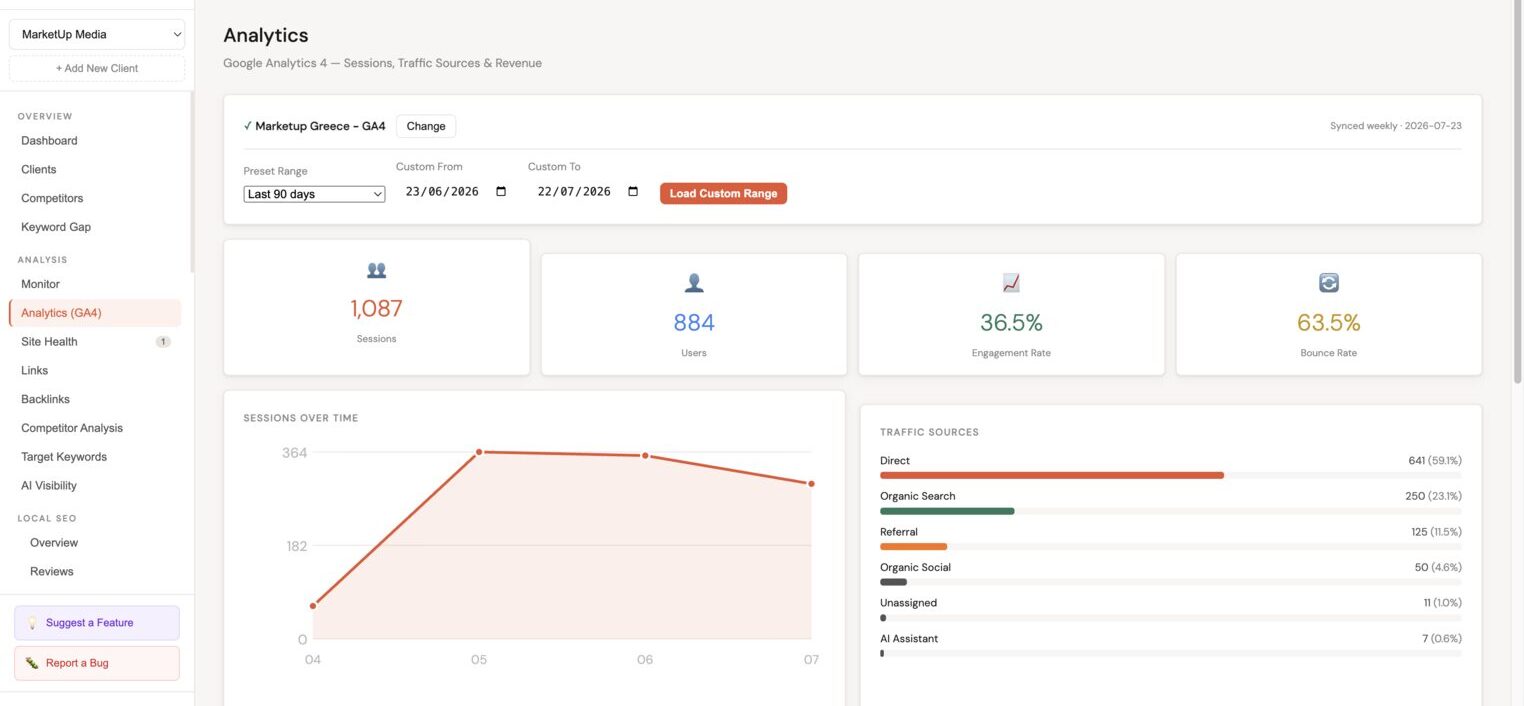
Connecting GA4
Prerequisites
- A Google account with Viewer access or higher to the GA4 property
- GA4 must have at least a few days of historical data
Steps
- In the client sidebar, go to Integrations → Analytics.
- Click Connect Google Analytics 4.
- Authorise Minorank via OAuth (read-only access).
- Select the GA4 property from the dropdown. If the client has multiple properties, select the one matching the primary site.
- Click Save integration.
Minorank syncs GA4 data daily alongside the Search Console sync.
:::tip Which property? Match the GA4 measurement ID (G-XXXXXXXX) with the tracking code on the client's site. You can find measurement IDs in GA4 under Admin → Data streams. :::
Available metrics
Once connected, the following GA4 metrics are available throughout the platform:
| Metric | Description |
|---|---|
| Sessions | Total number of sessions initiated on the site |
| Users | Unique users who visited |
| Engaged sessions | Sessions lasting 10+ seconds, with a conversion, or with 2+ pageviews |
| Engagement rate | Percentage of sessions that were engaged |
| Bounce rate | Percentage of sessions with no engagement (inverse of engagement rate in GA4) |
| Conversions | Conversion events configured in the GA4 property |
| Revenue | E-commerce revenue (if GA4 e-commerce is configured) |
| Transactions | E-commerce transactions (if configured) |
Traffic is segmented by channel group, Minorank defaults to Organic Search so you're always looking at SEO-driven data.
Where GA4 data appears
Sessions over time chart
The Sessions chart in the Analytics section shows monthly sessions over the selected period, with an overlay comparing to the prior period. Use this to spot traffic seasonality or the impact of SEO changes on real user volumes.
Traffic sources breakdown
A breakdown of sessions by channel group (Organic Search, Direct, Referral, Social, Paid Search, etc.) shown as both a table and a donut chart. This gives context to organic's share of total traffic.
Top pages
The Top pages table can display GA4 metrics (sessions, engagement rate, conversions) alongside GSC data (clicks, impressions, CTR) for each URL, letting you identify pages that rank well but have high bounce rates, or pages with conversions but low GSC visibility.
AI SEO reports
When GA4 is connected, AI reports include a traffic trends section that combines GSC click data with GA4 session data, plus device and channel breakdowns drawn from GA4.
Troubleshooting
"Property has no data"
GA4 properties need at least one active web data stream and some traffic history. If the property was recently created, allow 24–48 hours.
Data looks lower than expected
GA4 uses event-based tracking and stricter session definitions than Universal Analytics. Session counts are typically 10–30% lower than UA. This is expected.
I still have Universal Analytics
Minorank supports GA4 only. Universal Analytics was sunset by Google in July 2023. The client's site will need GA4 set up before this integration is available.
Engagement rate vs bounce rate
GA4 replaced the traditional bounce rate with engagement rate (its inverse). A 65% engagement rate means 35% of sessions were not engaged, not that 35% "bounced" in the Universal Analytics sense.
Next steps
- AI SEO Reports, reports include GA4 traffic data when connected
- WordPress SEO Management, connect the plugin to manage meta tags across client sites