Blog Post Planner
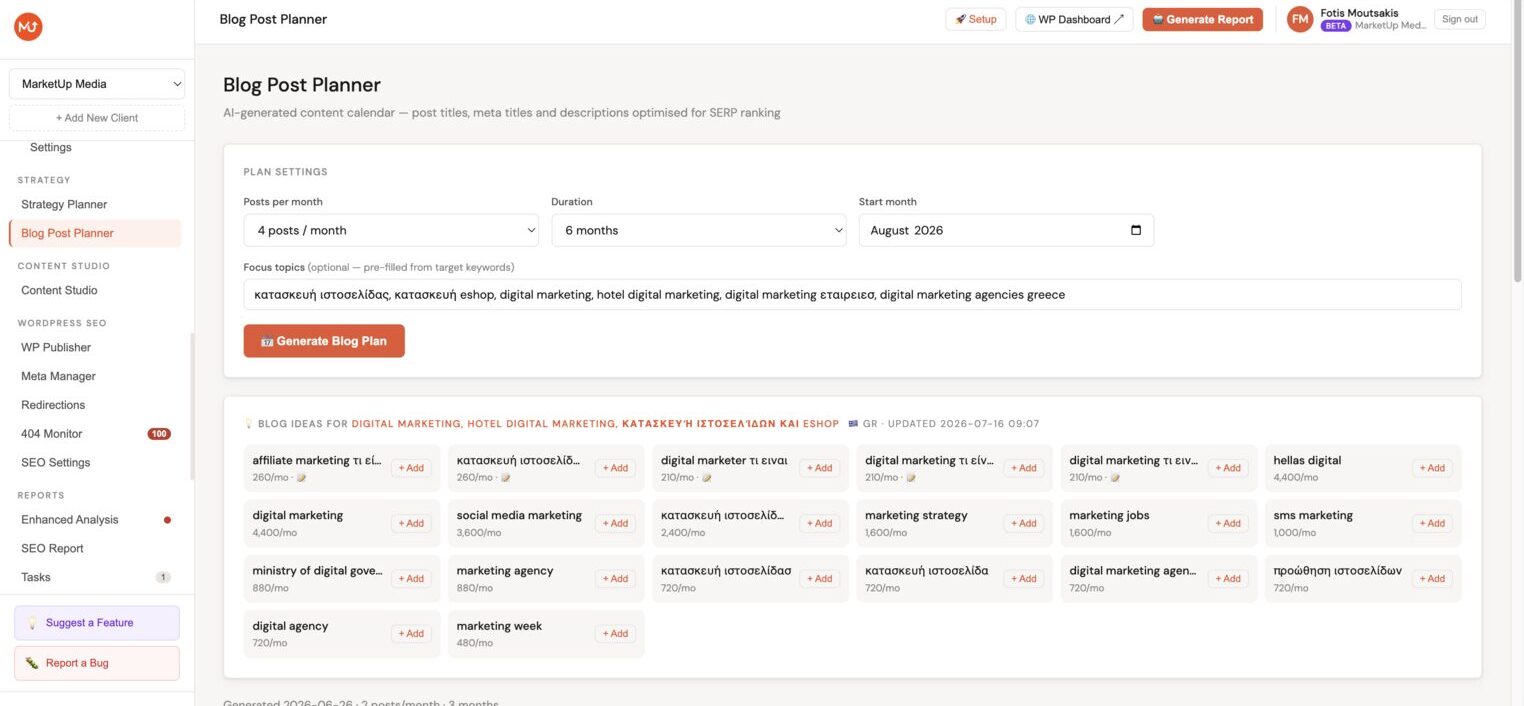
The Blog Post Planner generates a month-by-month content calendar for the client using AI. You set the pace (posts per month), duration, language, and optional topic focus, Minorank plans the entire content calendar and gives you ready-to-use titles, target keywords, and meta descriptions for every post.
Generating a content calendar
- In the client sidebar, go to Blog Planner.
- Click Generate calendar.
- Configure the plan:
| Setting | Description |
|---|---|
| Posts per month | How many blog posts to plan per month (1–12) |
| Duration | How many months to plan ahead (1–12 months) |
| Start month | The month the plan begins |
| Language | Language to write titles and meta descriptions in (Greek or English) |
| Focus topics | Optional, paste keywords or topics to focus the plan on specific themes |
| Competitors | Optional, add competitor domains so Minorank AI avoids overlapping with their existing content |
- Click Generate.
Generation takes 15–30 seconds. The calendar appears month by month below.
Reading the calendar
For each planned post, the calendar shows:
| Column | Description |
|---|---|
| Month | The month this post is planned for |
| Type | Content type, Guide, Listicle, How-to, Comparison, Case Study, etc. |
| Target keyword | Primary keyword to optimise for |
| Post title | Suggested blog post title (editable inline) |
| Meta title | Optimised meta title, editable inline |
| Meta description | 155-character meta description, editable inline |
| Status | Write → Sent to WP → Published, updated automatically |
| Write | Button to launch the AI Writer pre-filled with this post's details |
Repeat badge
If a keyword in the new plan is ≥80% similar to a keyword from a previous plan, it is flagged with a ♻️ badge in the table. This is a visual warning only, you can still write the post if relevant, but it signals potential topic overlap with content you've already planned.
Inline editing
Click any Post title, Meta title, or Meta description cell to edit it directly in the table. Changes are saved immediately, no separate edit screen needed.
Per-post delete
Each row has a delete button. Clicking it shows an inline Delete? Yes / No confirmation before removing the post from the plan.
Publishing a planned post
Click Write on any planned post to open the AI Article Writer with the topic, keyword, title, and meta description pre-filled. Review and adjust the settings, then generate the article.
Once the article is published to WordPress, the Blog Planner entry updates its status to Published automatically.
Tracking published content
The bottom of the page shows the Published content history, a searchable table of all articles published via the AI Writer for this client:
| Column | Description |
|---|---|
| Type | The content type (guide, how-to, etc.) |
| Title | Post title as published in WordPress |
| Keyword | Target keyword |
| Date | Published date |
| Status | Live / Draft |
Use the search field to find specific posts, and the type filter to view only guides, listicles, etc.
Calendar vs ad-hoc articles
The Blog Planner is designed for systematic content production, a planned, consistent publishing schedule. You can also generate ad-hoc articles directly via the AI Article Writer without going through the Blog Planner. Both approaches use the same article generation engine.
:::tip Combine with keyword data Before generating the calendar, review the Keyword gap analysis and the Page 2 keywords in Enhanced Analysis. Using these as focus topics ensures the content plan targets real traffic opportunities rather than generic topics. :::
Duplicate prevention
When you generate a new plan, all target keywords from every previous plan for this client are automatically injected into the prompt. This prevents Minorank AI from suggesting topics you've already planned, even across multiple calendar generations.
Combined with the ♻️ repeat badge, this means your content calendar stays fresh and non-repetitive without any manual tracking on your part.
Plan history
Up to 4 past plans are kept in the plan history section below the active calendar. You can view any archived plan to review its content, check what keywords were already covered, or reference old titles and meta descriptions.
Plans are archived automatically when you generate a new one, you don't need to do anything to save them.
Regenerating the calendar
If the generated calendar doesn't fit the client's focus, click Regenerate with updated focus topics or settings. Previously published posts are preserved even if the calendar is regenerated.
SEO Brief Generator
Every post in the Blog Planner has a 📋 Brief button. Click it to generate a complete content brief ready to hand to a writer.
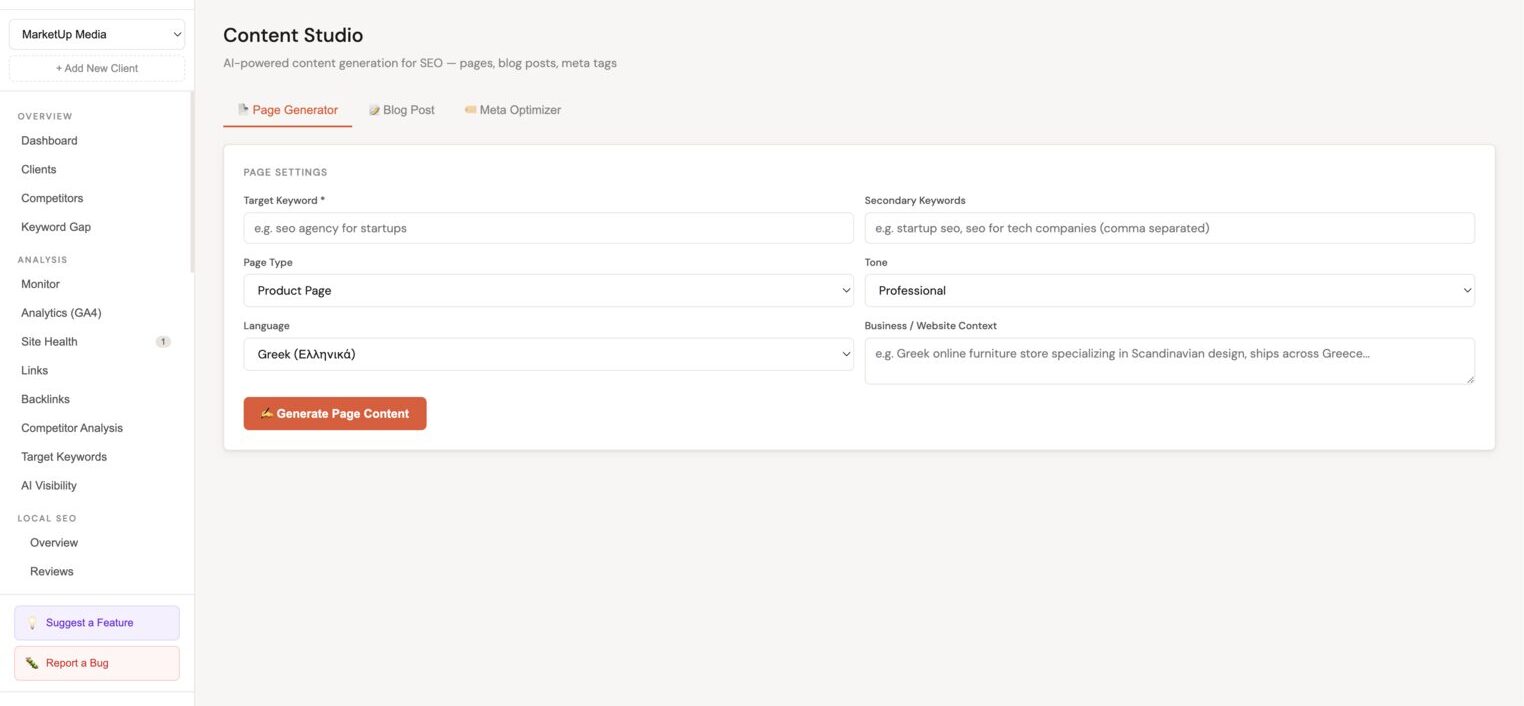
Each brief includes:
| Section | What's inside |
|---|---|
| Suggested H1 | A click-optimised headline for the article |
| Secondary keywords | 3–5 related keywords pulled from real gap analysis data, each with monthly search volume |
| H2 outline | A full article structure with 7+ sections |
| Format | Recommended word count and tone (e.g. Informational, Actionable, Authority-Building) |
| Internal links to include | Specific pages from the client's site with suggested anchor text |
| SEO notes | Competitive positioning notes, what to include, what to avoid, how to outrank specific competitors |
Briefs are cached, the first generation takes ~10 seconds, every open after that is instant. Click 📋 Copy Full Brief to copy everything to clipboard in one click.
Seasonal Content Scheduling
When you generate a Blog Plan, Minorank automatically fetches 12-month search volume trend data for your topics from DataForSEO and uses it to schedule posts at the optimal time.
How it works
- You click Generate Blog Plan.
- Minorank fetches monthly search volume data for your topics, you'll briefly see "Checking seasonal trends…"
- Minorank AI identifies when each keyword peaks in demand (e.g. "hotel digital marketing" peaks in May).
- Each post is scheduled to publish ~2 months before its keyword's seasonal peak, giving the page time to rank before the surge arrives.
What gets scheduled vs ignored
- Keywords with a clear seasonal spike are scheduled strategically to the optimal month.
- Keywords with flat, year-round demand are distributed evenly across the plan duration.
Performance
Seasonal trend data is cached for 30 days, so subsequent plan generations for the same client are instant. The whole process runs silently with zero extra clicks.
Next steps
- AI Article Writer, generate individual articles on demand
- Strategy Planner, generate the full SEO strategy that informs content priorities
- WordPress SEO Management, manage published post meta via Meta Manager