Competitor Analysis
Minorank's competitor analysis module gives you a complete view of how your client's organic performance compares to their competition, tracking traffic trends, keyword overlap, and strategic gaps across all added competitors.
Competitive Alert System
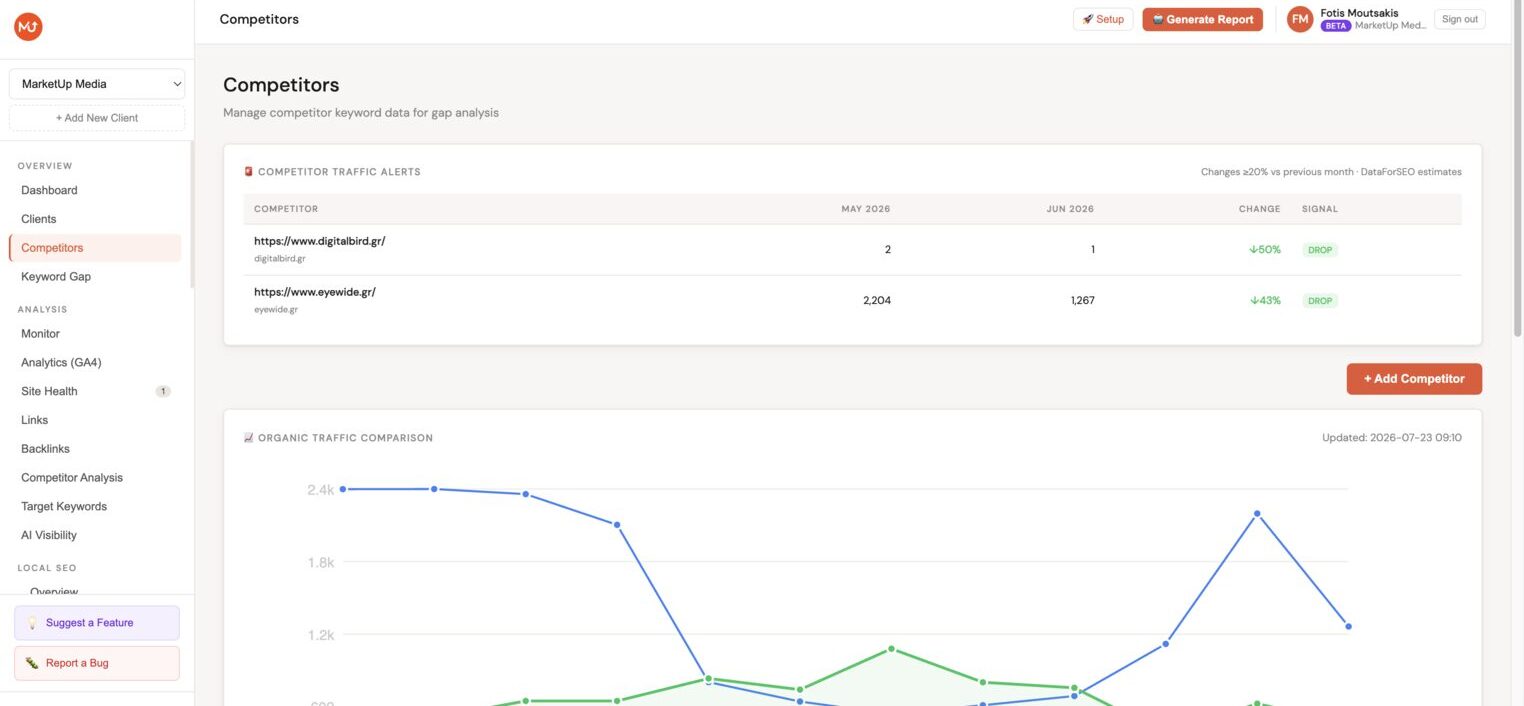
Minorank tracks competitor organic traffic monthly and automatically flags any competitor that surges or drops by ≥20% vs the previous month, no setup needed.
Alert types
| Signal | Meaning | What to do |
|---|---|---|
| SURGE ↑ | Competitor gained ≥20% organic traffic | Investigate their content and backlink activity, defend your rankings |
| DROP ↓ | Competitor lost ≥20% organic traffic | Opportunity to target their weakened keywords |
Where alerts appear
- Dashboard, a Competitor Alert card appears at the top of the client dashboard whenever a significant change is detected, showing the count of surges and drops.
- Competitors page, the Competitor Traffic Alerts table at the top of the Competitors page lists every alerted competitor with exact traffic numbers, month-over-month change, and the SURGE or DROP badge.
Alerts are generated automatically after each weekly competitor data refresh. You don't need to check manually, Minorank tells you when something changes.
Adding a competitor
- In the client sidebar, go to Competitors.
- Click Add competitor.
- Enter the competitor's domain (e.g.
competitor.com, no protocol or path needed). - Optionally add a label (e.g. the brand name or "Primary competitor").
- Click Add.
Minorank fetches the competitor's top keywords, estimated organic traffic, backlink count, and common keywords with the client. Data loads within 30–60 seconds. You can add up to 5 competitors per client.
:::note Data source Competitor data is estimated from third-party databases (via DataForSEO), it is not pulled from Google Search Console. Figures are directional approximations, not precise counts. :::
Competitor overview table
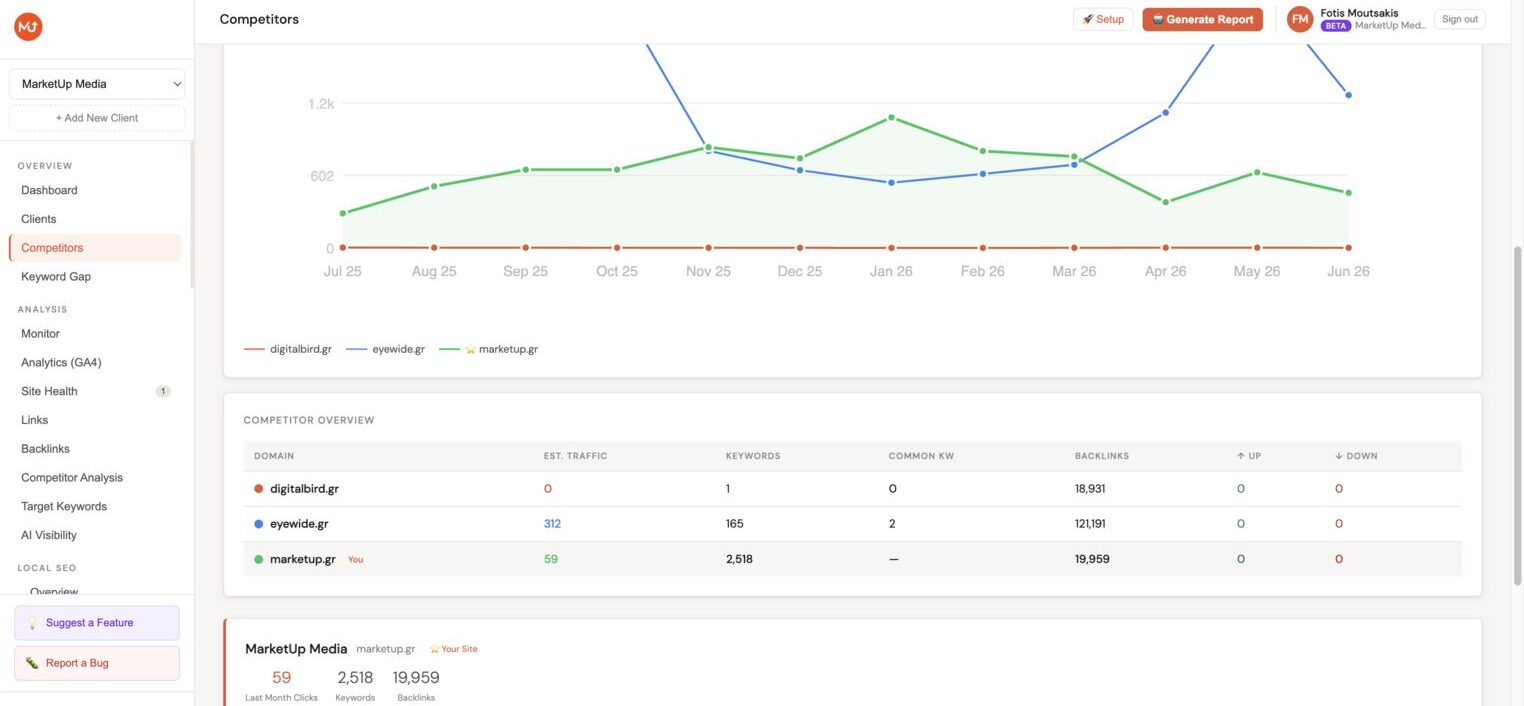
The main Competitors view shows a side-by-side comparison:
| Column | Description |
|---|---|
| Domain | Competitor domain |
| Est. organic traffic | Estimated monthly organic visits |
| Ranking keywords | Estimated number of keywords ranking in the top 100 |
| Common keywords | Keywords where both the client and this competitor rank |
| Backlinks | Total estimated referring backlinks |
| Rank movement | Net position movement over the last 30 days (up/down indicators) |
12-month traffic chart
The organic traffic comparison chart plots estimated monthly traffic for the client and all competitors on the same axis over 12 months. This is the most effective way to visualise whether your client is gaining or losing ground relative to the competitive set over time, and to spot when a competitor was hit by an algorithm update.
The chart is updated weekly with fresh competitor data.
Deep-dive competitor analysis
Click Analyze on any competitor (or enter any domain in the search bar) to open the full domain analysis view:
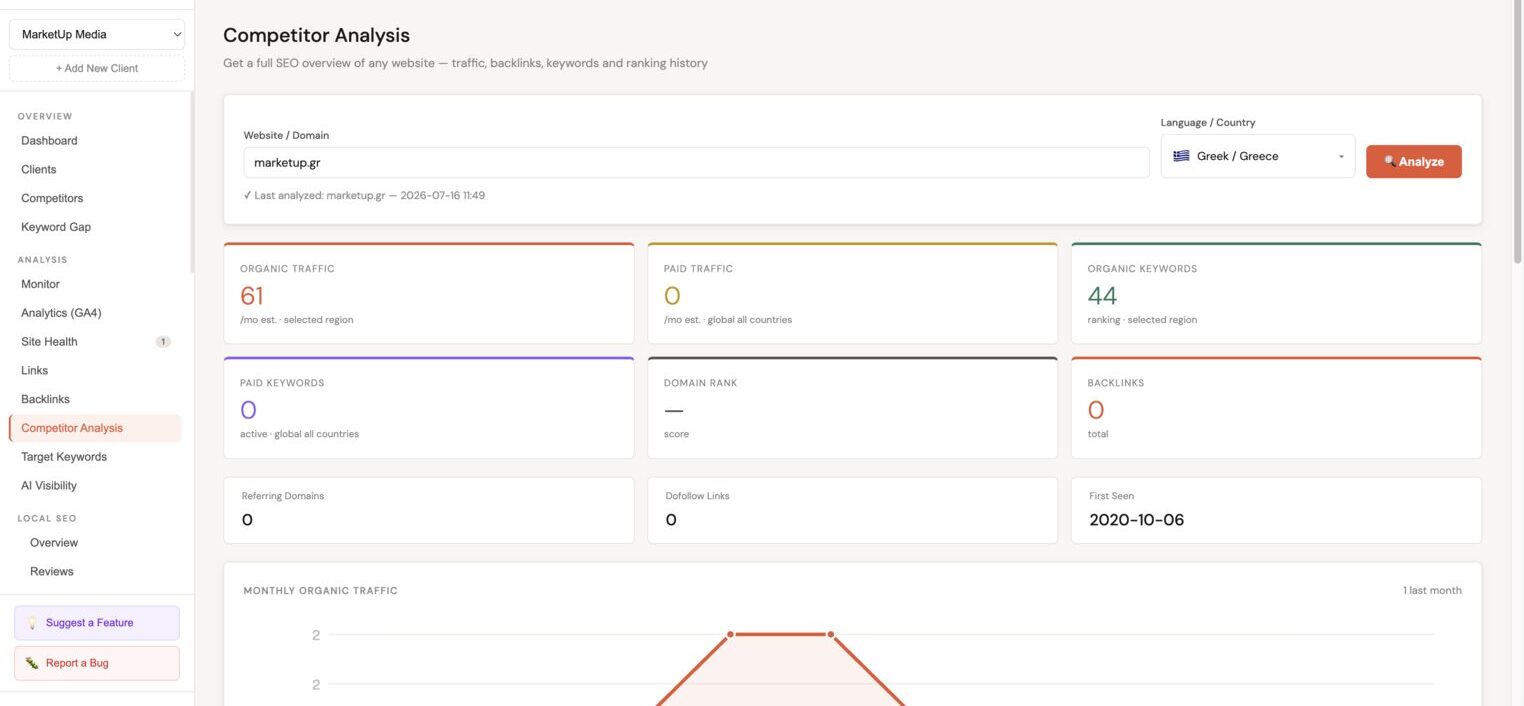
The deep-dive view shows:
- Organic traffic (monthly estimate, 12-month chart)
- Paid traffic (if the competitor runs Google Ads)
- Organic keywords (total keywords ranking in top 100)
- Paid keywords (if running ads)
- Domain rank (link authority score)
- Backlinks and referring domains
- Disavow links count
- First seen date (when the domain was first indexed)
SEO keyword position chart
A bar chart showing the distribution of the competitor's keywords across position buckets:
- Top 3, keywords ranking in positions 1–3
- 4–10, first-page keywords outside the top 3
- 11–50, second and third page
- 51–100, lower rankings
Keyword position distribution
A visual distribution bar showing the proportion of keywords in each position group at a glance.
Top ranking keywords
The full list of the competitor's top keywords, showing for each:
| Column | Description |
|---|---|
| Keyword | The search term |
| Position | Current ranking position (with position badge) |
| Search volume | Estimated monthly searches |
| Est. traffic | Estimated monthly visits from this keyword |
| KD | Keyword difficulty score |
| CPC | Cost-per-click (if the keyword has paid history) |
| Target | Mark this keyword as a target for the client |
| Blog | Flag this as a blog content opportunity |
Keyword gap analysis
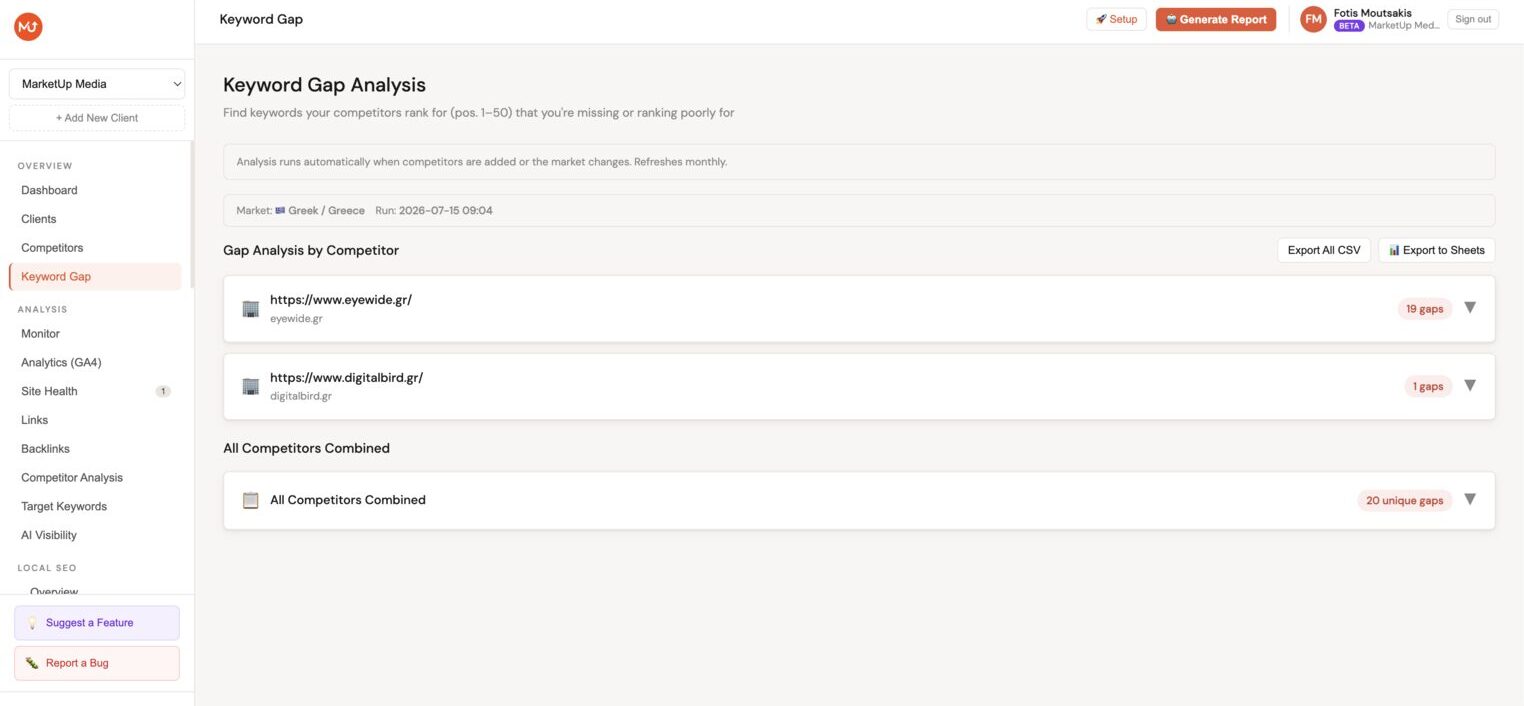
The Keyword gap tab is one of the most actionable views in the platform. It surfaces keywords where a competitor ranks in the top 20 and the client either doesn't rank or ranks weakly.
Gap types
| Type | Meaning |
|---|---|
| Not Ranking | Competitor ranks top 20, client doesn't rank at all |
| Weak Position | Client ranks 21–100, competitor ranks top 20 |
| Quick Win | Client ranks 11–20, competitor ranks top 10, a small push could close the gap |
AI summary and clusters
Below the keyword gap table, an AI summary identifies the most significant content gaps and groups them into opportunity clusters, for example: "Competitor ranks for 47 keywords around [topic] that you don't cover at all." Each cluster comes with suggested actions: Quick Wins, Content Opportunities, or Overall Strategy.
:::tip Filtering gaps Use the Gap type filter to focus on Quick Wins first, these are existing pages that just need optimisation rather than new content creation. :::
Auto-refresh
Competitor data is refreshed automatically every week. You can trigger a manual refresh from the competitor detail view by clicking Refresh data.
Next steps
- Keyword tracking, add gap keywords as tracked targets
- AI SEO Reports, reports include competitor analysis when competitors are added
- Strategy Planner, generate a full content strategy based on competitor gaps