Monitor, Decay & Cannibalization
The Monitor section runs automatic weekly analysis of your client's Search Console data and flags two of the most damaging, and most overlooked, SEO problems: content decay and keyword cannibalization. Both appear as alert cards on the client dashboard and link to the full breakdown in the Monitor section.
:::tip No setup required Both monitors run automatically every week as long as the client has Search Console connected with at least 90 days of historical data. :::
Content Decay Detection
Most tools show you traffic going down. Minorank tells you which pages are responsible and how bad it is, before they fall off page 1.
How it works
Every week, Minorank compares each page's clicks and average position over the last 30 days vs the 60–90 day window before that. Pages where both clicks and position have declined are flagged as decaying.
Each decaying page is classified by severity:
| Severity | Meaning |
|---|---|
| Mild | Early signs of decay, monitor closely |
| Moderate | Meaningful traffic drop, schedule a content refresh |
| Severe | Significant decline, requires urgent attention |
Dashboard alert
When content decay is detected, a Content Decay alert card appears at the top of the client dashboard with a count of affected pages by severity level and a direct link to the full breakdown.
Monitor page, decay breakdown
The Monitor page shows all decaying pages in a table:
| Column | Description |
|---|---|
| Page | The URL losing traffic |
| Severity | Mild / Moderate / Severe |
| Click drop | Percentage drop in clicks vs the comparison window |
| Position change | Average position movement (e.g. +3.2 = dropped 3 positions) |
| Current clicks | Clicks in the last 30 days |
| Previous clicks | Clicks in the 60–90 day comparison window |
Click + Task on any row to create a content refresh task for that page, assigned directly in the client's task list.
Keyword Cannibalization Detector
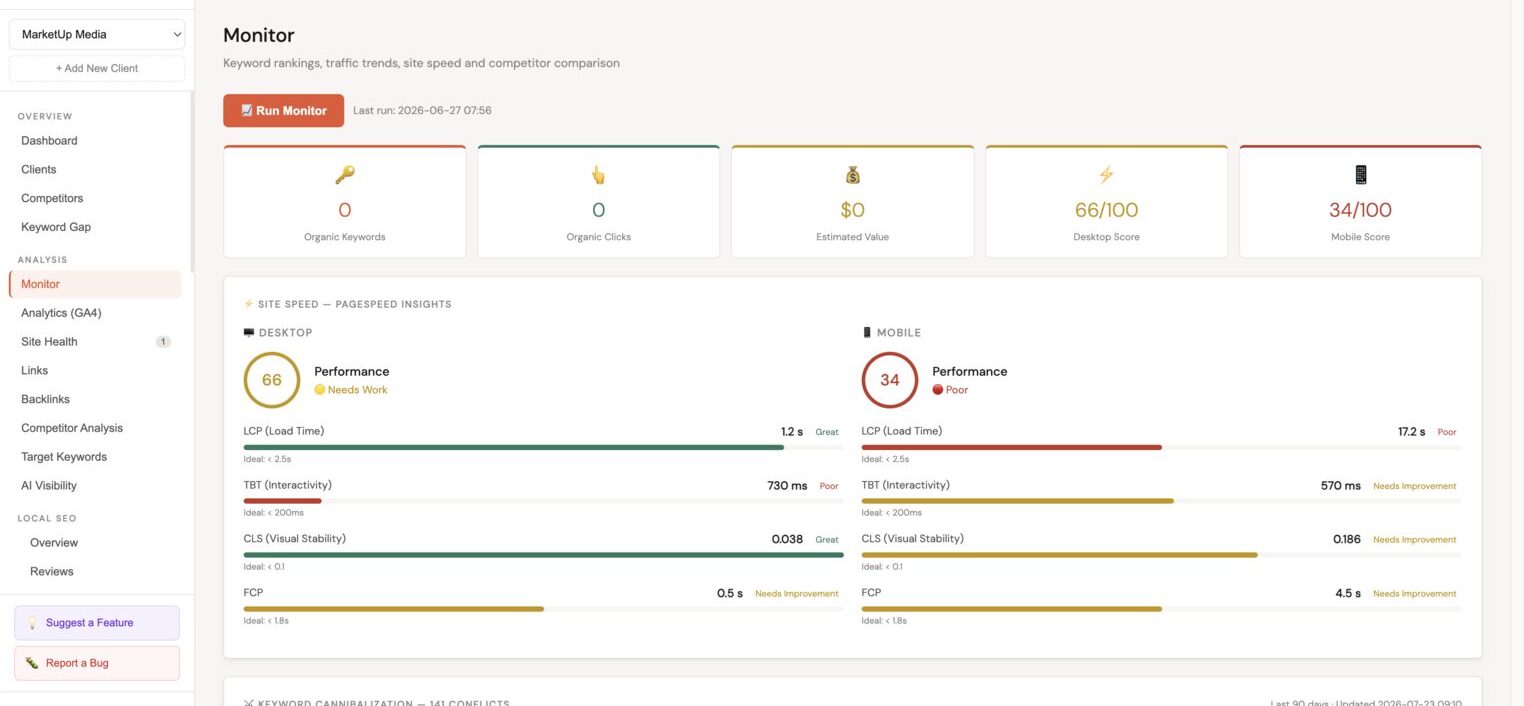
When multiple pages rank for the same keyword, Google splits authority between them, weakening both. Minorank detects these conflicts automatically using Search Console data.
How it works
Minorank analyses all query-to-page pairs from Search Console. When two or more pages receive clicks or impressions for the same query, it flags a cannibalization conflict. Severity is determined by the split of authority and the volume of the keyword.
Dashboard alert
The Keyword Cannibalization alert card on the dashboard shows the total number of conflicts with a severity breakdown (severe / moderate / mild) and a timestamp of the last check.
Monitor page, cannibalization detail
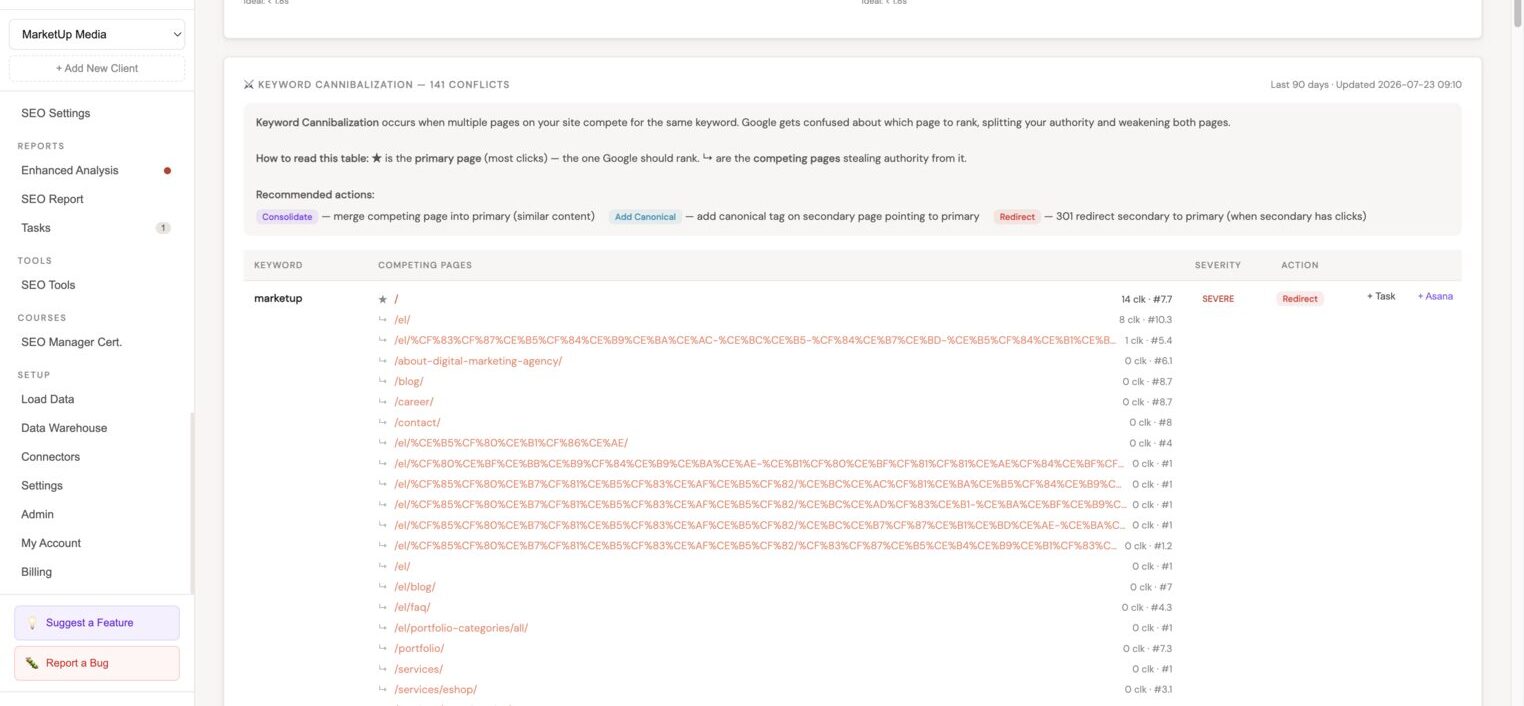
The full cannibalization table shows every conflicting keyword with:
| Column | Description |
|---|---|
| Keyword | The contested search query |
| ★ Primary page | The page with the most clicks, the one Google should rank |
| ↳ Competing pages | All other pages receiving clicks or impressions for the same keyword |
| Clicks / Position | Traffic and average ranking for each URL |
| Severity | Severe / Moderate / Mild |
| Recommended action | Consolidate, Add Canonical, or Redirect |
Recommended actions
| Action | When to use |
|---|---|
| Consolidate | Competing pages have similar content, merge into the primary |
| Add Canonical | Secondary page has value but should defer ranking authority to the primary |
| Redirect | Secondary page has clicks and direct traffic, 301 redirect into the primary |
Click + Task or + Asana on any conflict to create a fix task with the keyword and recommendation pre-filled.
Next steps
- WordPress SEO Management, add canonical tags or set up redirections from the platform
- Tasks, review and assign decay and cannibalization fix tasks
- Enhanced Analysis, surface page 2 keywords for pages affected by decay