Tasks
The Tasks module is a lightweight task manager built directly into the Minorank Platform. Every action plan generated by the AI, from SEO reports, keyword analysis, site health checks, and strategy planning, creates tasks here automatically. You can also add tasks manually.
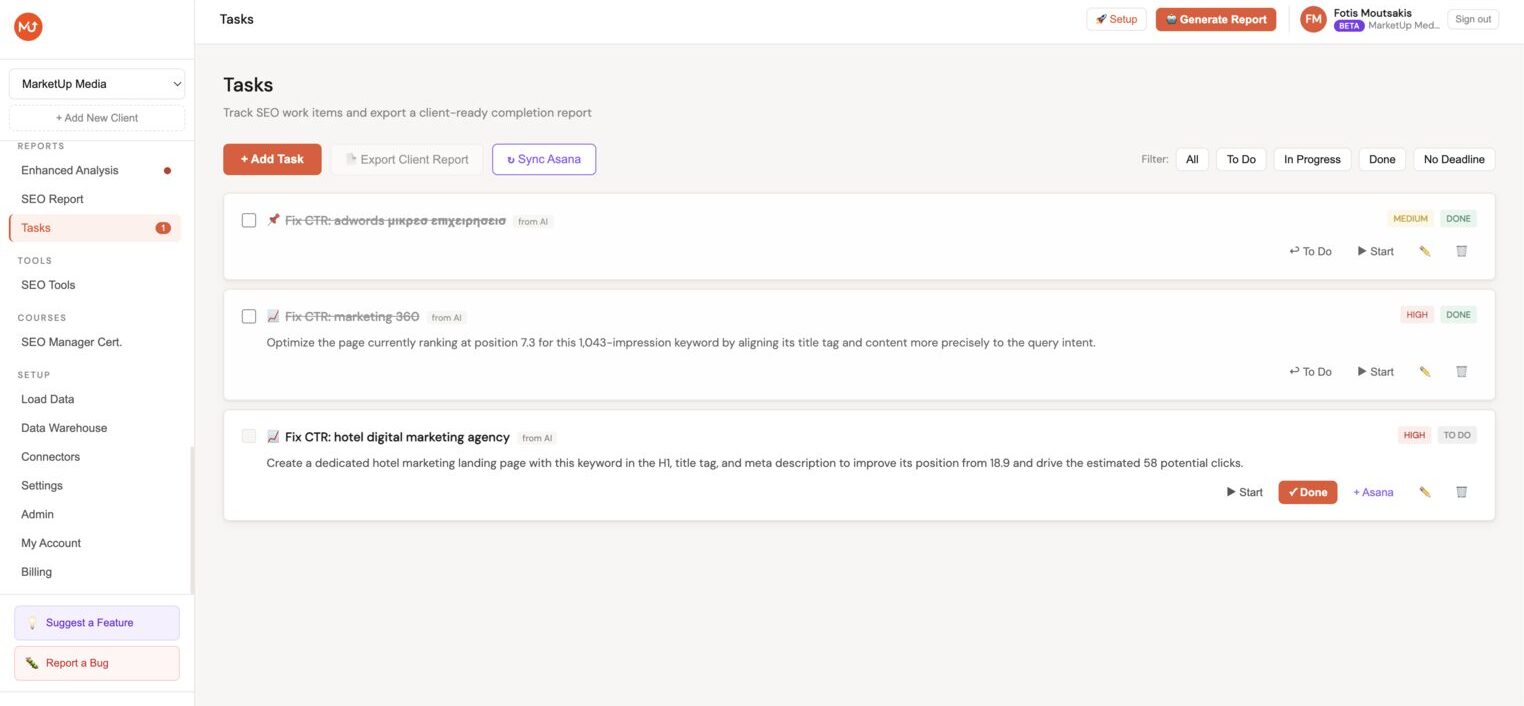
Task list
The main Tasks view shows all tasks for the current client in a table:
| Column | Description |
|---|---|
| Task | Task title and description |
| Source | Where the task came from, AI Report, Site Health, Keyword Plan, Manual |
| Status | To Do / In Progress / Done |
| Priority | High / Medium / Low |
| Due date | Optional due date |
| Asana | Button to push this task to Asana |
Filtering tasks
Use the filter bar to narrow the task list:
| Filter | Options |
|---|---|
| Status | All / To Do / In Progress / Done / No Deadline |
| Priority | All / High / Medium / Low |
| Source | All / AI Report / Site Health / Keywords / Manual |
Adding a task manually
- Click Add task.
- Enter the task title and an optional description.
- Set the status, priority, and due date.
- Click Save.
AI-generated tasks
Tasks are created automatically from:
- AI SEO Reports, each item in the report's Action Plan becomes a task
- Site Health, critical issues and quick wins generate tasks with one-click creation
- Keyword Analysis, each step in a keyword's AI action plan can be added as a task
- Strategy Planner, every action in the 90-day plan is a potential task
- Enhanced Analysis, CTR opportunity and page 2 keyword recommendations
AI-generated tasks include a description explaining the context and expected impact.
Pushing to Asana
If your workspace has an Asana integration configured (under Connectors), each task has an Asana button. Clicking it creates the task in your connected Asana project with:
- The task title
- The full description
- The due date (if set)
- A link back to the Minorank task
Tasks pushed to Asana are marked as synced in the Minorank task list.
Client completion report
Click Export report to generate a client-ready completion report, a summary of all tasks with their status. This is useful for monthly client calls: it shows what was done, what's in progress, and what's coming up.
The report exports as a PDF with:
- Completed tasks (with completion date)
- In-progress tasks
- Upcoming tasks
- Summary statistics (% complete, tasks by priority)
Next steps
- Connectors, set up the Asana integration to push tasks to your project management workflow
- AI SEO Reports, reports generate action plan tasks automatically
- Site Health, site health issues create tasks with one click