SEO Meta Box
The Minorank SEO plugin adds a Minorank SEO sidebar panel to both the Gutenberg block editor and the Elementor editor. The panel has four tabs covering every aspect of on-page SEO for each post or page.
Click the chart icon in the top editor toolbar to open the panel.
General Tab
The General tab handles the core SEO fields, the ones that appear in Google search results.
SEO Title
Enter a custom title that overrides the WordPress page title in <title>, og:title, and twitter:title tags.
- Character counter: green up to 60 characters, yellow 61–70, red above 70.
- Leave empty to use the default WordPress title format.
Meta Description
The text shown below the title in Google results. Used in <meta name="description">, og:description, and twitter:description.
- Character counter: green up to 155 characters, yellow 156–170, red above 170.
SERP Preview
A live preview that updates as you type, shows exactly how the title, URL slug, and description will appear in Google search results. No need to check externally.
Focus Keywords
Type a keyword and press Enter to add it as a chip.
- Each chip is scored independently: green = good, yellow = needs improvement, red = poor.
- Click a chip to see its full score breakdown in the Content Analysis panel.
- Click × on a chip to remove it.
- Multiple keywords do not penalise each other, each is scored on its own merit.
SEO Score
A circular gauge (0–100) showing the overall SEO score for the currently selected keyword. Labels: Good (70+), Needs Improvement (40–69), Poor (below 40). Word count and keyword density are displayed beneath the gauge.
Pillar Content
A toggle to mark this page as pillar content. Pillar pages receive higher priority in internal link scoring and are treated as hub pages in the internal link analysis.
Advanced Tab
The Advanced tab controls how search engines crawl and index this page.
Robots Meta, Indexing
Click Index or No Index to control whether search engines index this page. Default is Index.
Robots Meta, Checkboxes
| Checkbox | Robots meta tag added |
|---|---|
| Nofollow, don't follow links on this page | nofollow |
| No Archive, don't show cached version | noarchive |
| No Image Index, exclude images from Google Images | noimageindex |
| No Snippet, no text snippet in results | nosnippet |
Max Snippet
Controls the max-snippet directive, the maximum characters Google may use in a text snippet. Set to -1 for unlimited (default).
Max Video Preview
Controls max-video-preview. Set to -1 for unlimited (default).
Max Image Preview
Controls max-image-preview. Options: none, standard, large (default).
Canonical URL
Override the canonical URL for this page. Leave empty to use the default permalink. Use this to resolve duplicate content issues caused by URL parameters, pagination, or multiple URLs pointing to the same content.
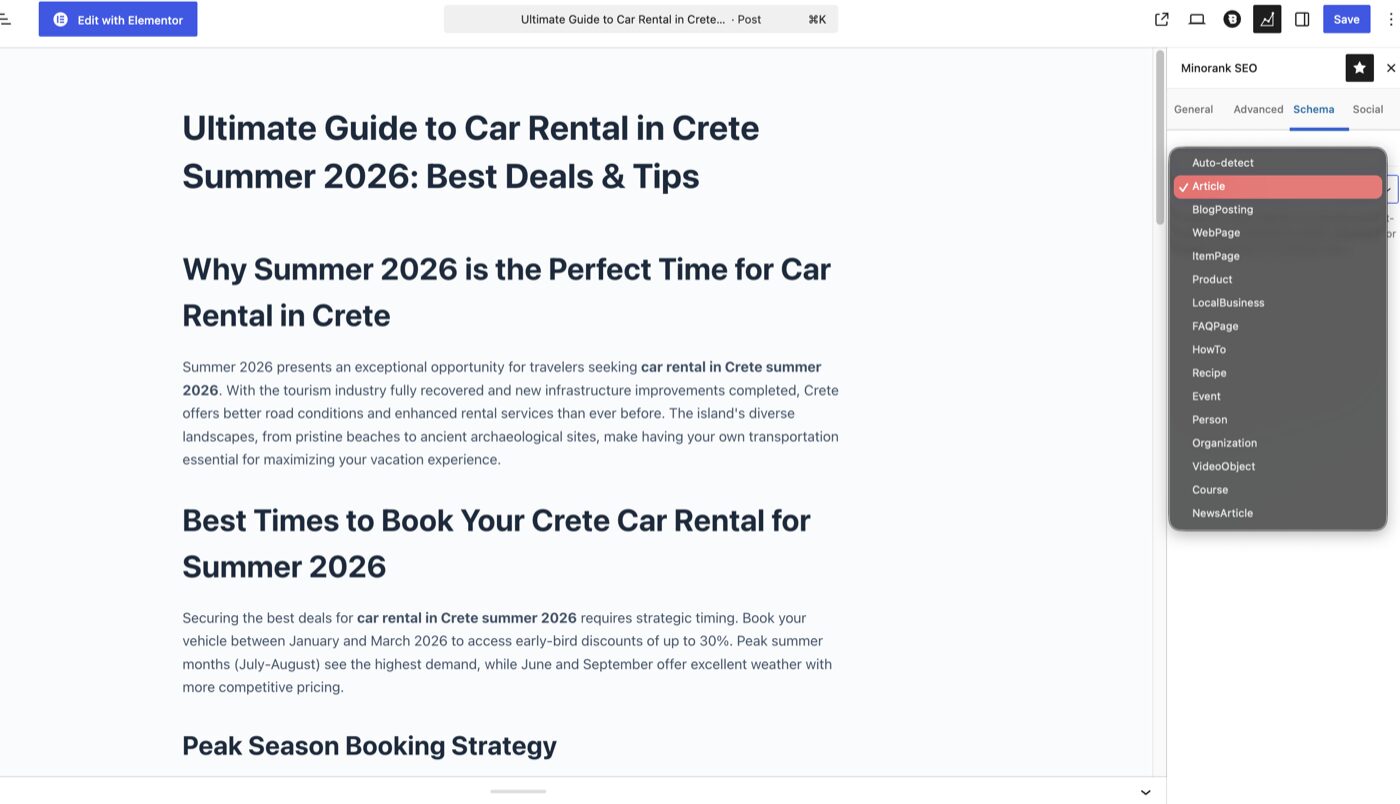
Schema Tab
Override the JSON-LD @type for this individual post or page. This setting takes precedence over the global default configured in Minorank SEO → Settings → Schema Markup.
Available schema types:
Auto-detect · Article · BlogPosting · WebPage · ItemPage · Product · LocalBusiness · FAQPage · HowTo · Recipe · Event · Person · Organization · VideoObject · Course · NewsArticle
Set to Auto-detect to fall back to the global default for this content type. Use a specific type when a post has a distinct structured data type that differs from the site-wide default (e.g. an FAQ page set to FAQPage when the global default is Article).
Social Tab
The Social tab controls Open Graph and Twitter Card meta tags for this specific post, overriding any fallback chain.
Social Share Image
One image used across all platforms (Facebook, Twitter/X, LinkedIn). Recommended size: 1200 × 630 px.
- Click Change to select from the WordPress media library or upload a new image.
- Click Remove to delete the current image and fall back to the post's featured image.
- Used for
og:imageandtwitter:image.
Facebook / Open Graph
| Field | Meta tag | Fallback chain if empty |
|---|---|---|
| OG Title | og:title | SEO Title → Post Title |
| OG Description | og:description | Meta Description → Excerpt |
Twitter / X
| Field | Meta tag | Fallback chain if empty |
|---|---|---|
| Twitter Title | twitter:title | OG Title → SEO Title → Post Title |
| Twitter Description | twitter:description | OG Description → Meta Description → Excerpt |
Elementor support
The Minorank SEO panel is also available inside the Elementor editor, identical to the Gutenberg sidebar, accessed via the chart icon in the Elementor top toolbar. Changes made in Elementor save to the same post meta as the Gutenberg sidebar. No switching editors is needed to manage SEO.
How meta tags are output
All fields set in the meta box are output in the page <head> via the plugin. Priority order:
- Meta box value (this post's specific setting)
- Global setting (from Minorank SEO → Settings)
- WordPress default (page title, excerpt)
No meta tag is ever duplicated, the plugin checks for conflicts with other plugins and only outputs its own tags.
Next steps
- Content Analysis, understand how the SEO score in the General tab is calculated
- Schema Markup, configure global schema defaults
- REST API, read and write meta tags programmatically