Full-stack SEO management for agencies
Minorank Platform is a full-stack SEO management tool built for agencies. Connect client data sources, generate AI reports, track competitors, and manage WordPress SEO, without switching between a dozen tools.
How it works
From onboarding a new client to delivering a professional AI SEO report, in four steps.
Connect Google Search Console
OAuth in two clicks. Minorank syncs clicks, impressions, CTR, and keyword positions for every URL.
Add competitors
Enter competitor domains. Minorank fetches their estimated organic traffic, top keywords, and monthly trends.
Generate an AI SEO report
Hit "Generate Report". Minorank AI analyses all the data and writes a professional, client-ready SEO report in seconds.
Manage WordPress SEO
Install the free Minorank plugin on the client's WordPress site to control meta tags, redirections, and 404s from the platform.
Everything in the platform
A complete SEO stack, no extra subscriptions, no switching tabs.
Multi-client management
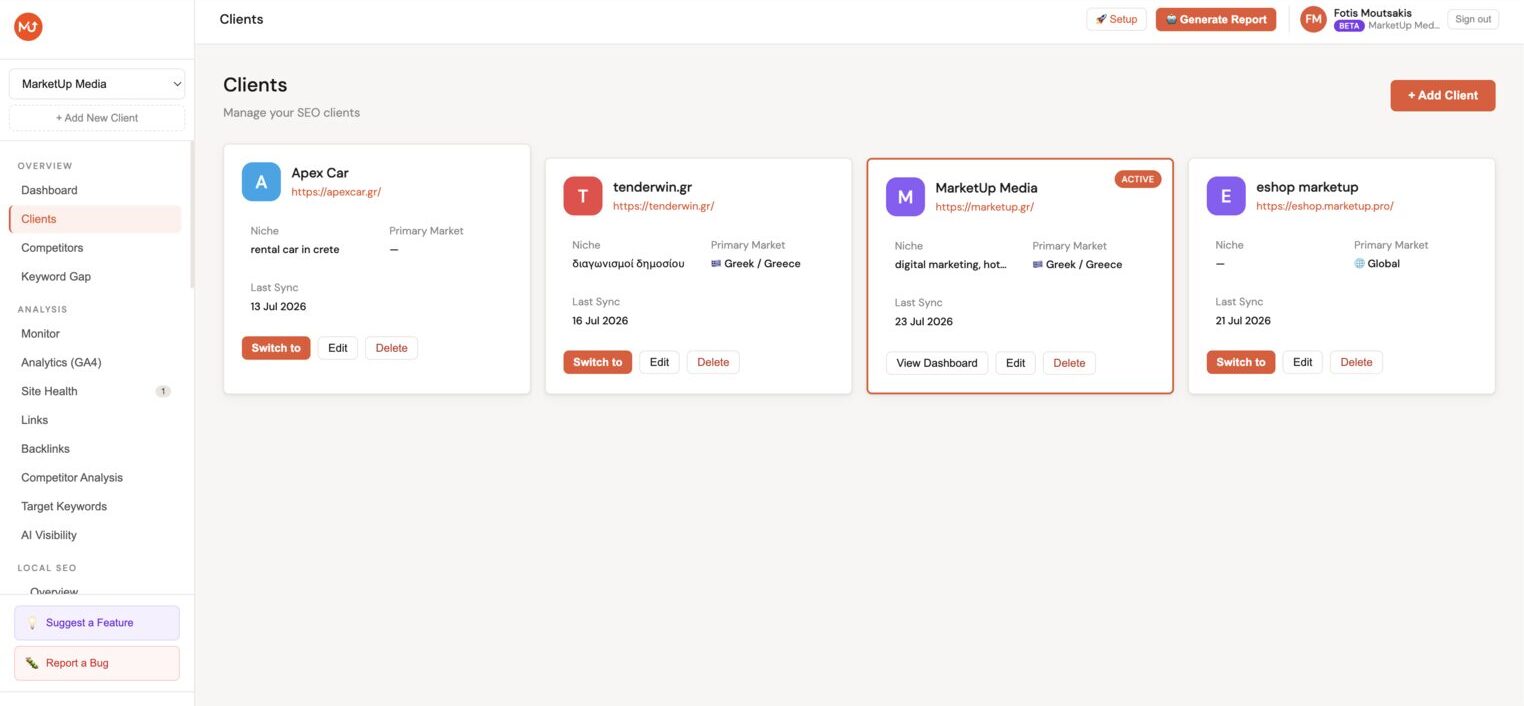
Add unlimited clients, each with their own dashboard, settings, and WordPress sites. Switch between clients instantly using the client switcher.
Google Search Console
Sync clicks, impressions, CTR, and keyword positions from GSC. View trends, filter by device, compare date ranges, and surface top queries and pages.
Google Analytics 4
Connect GA4 to overlay traffic and conversion data alongside your Search Console rankings for a complete picture of organic performance.
AI SEO reports
One click generates a full AI SEO report, executive summary, KPIs, traffic trends, brand vs non-brand, CTR opportunities, and a prioritised action plan. Powered by Minorank AI.
Competitor analysis
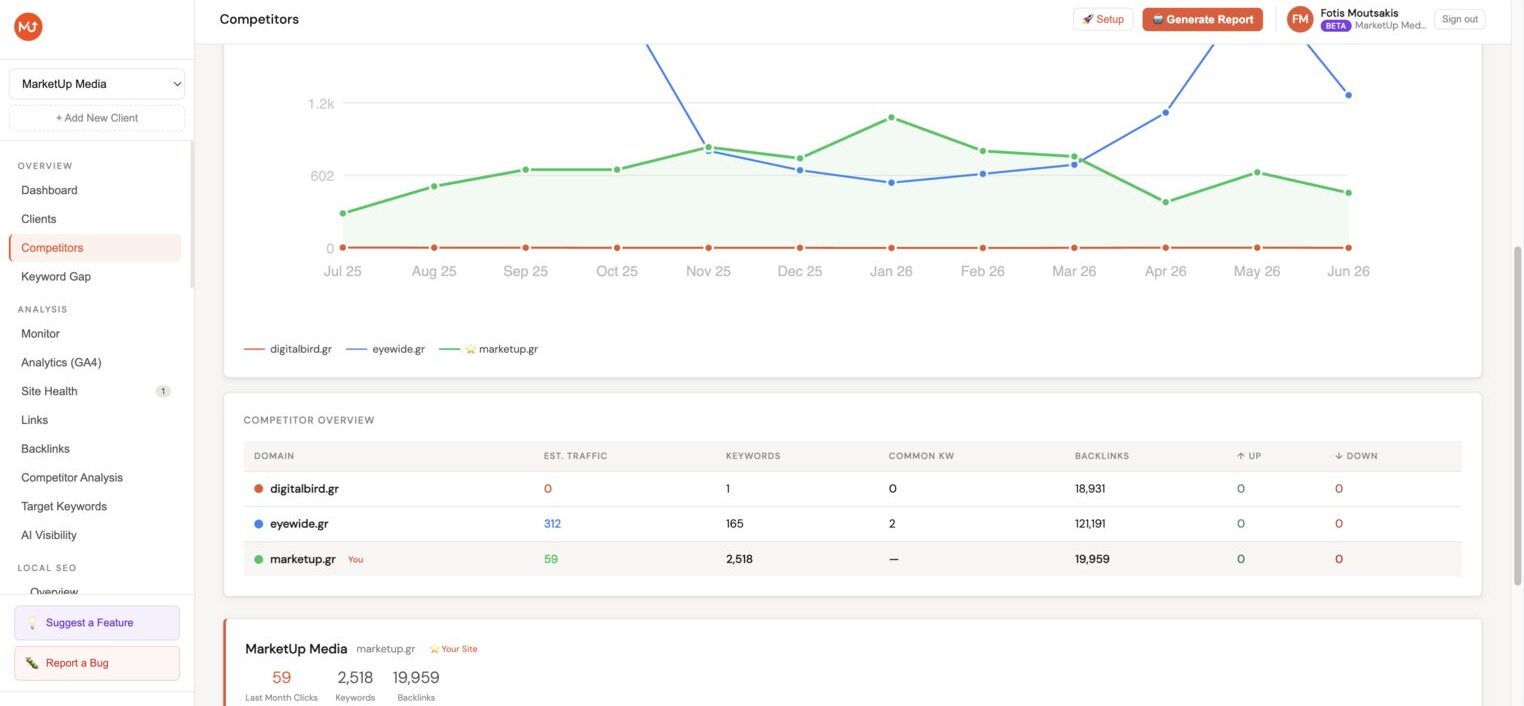
Add competitor domains and track their estimated organic traffic, keyword overlap, and monthly traffic trends. Side-by-side comparison with your client.
Keyword gap analysis
Automatically surface keywords where competitors rank in the top 20 but your client doesn't, the highest-priority content opportunities.
Target keyword tracking
Track specific keywords that matter to each client. Monitor position history, daily movement, and set alert thresholds.
Site health monitoring
Crawl each client's WordPress site and surface technical SEO issues grouped by severity, broken links, missing tags, slow pages, and more.
Internal links & backlinks
Analyse internal link structure to find orphaned pages and link-building opportunities. Review backlink profiles via DataForSEO integration.
WordPress SEO management
Edit meta tags, manage redirections, monitor 404s, and update SEO settings across all connected WordPress sites, without logging into WordPress.
Blog Post Planner
Generate a multi-month content calendar with Minorank AI, titles, keywords, meta descriptions, and content type for every post. Duplicate prevention ensures new plans never repeat topics already covered.
AI article writer
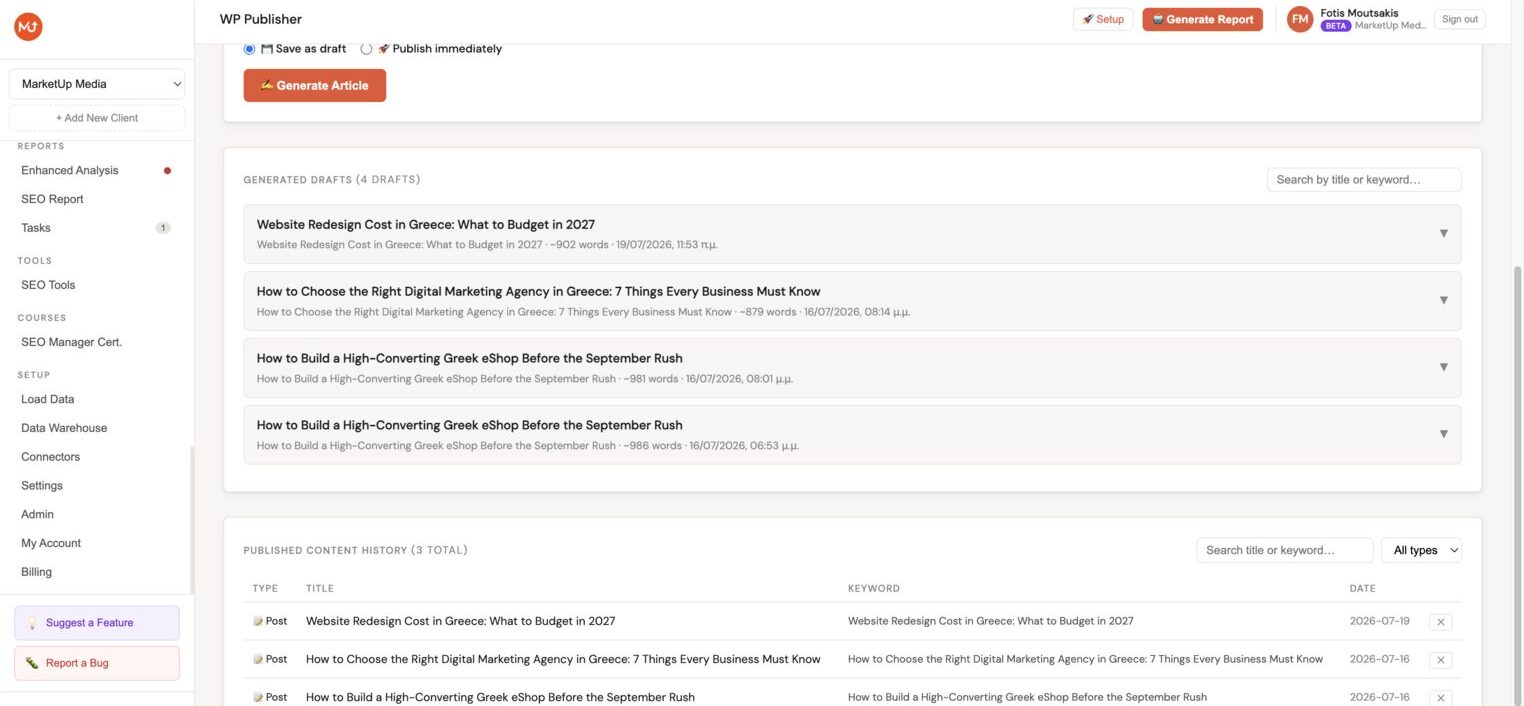
Generate full SEO-optimised articles with Minorank AI. Automatic internal linking pulls your top relevant pages and embeds 3–5 in-paragraph links. Create images with Gemini and publish directly to WordPress.
Task management + Asana
Track SEO tasks per client with built-in task management and optional Asana integration to sync tasks with your existing workflow.
Slack alerts
Get notified in Slack when traffic drops significantly, critical issues are detected, or keyword positions change beyond your threshold.
Onboarding checklist
A per-client setup checklist guides you through connecting integrations, configuring tracking, and getting the most from the platform quickly.
Local SEO
Connect Google Business Profiles and manage your clients' entire local presence from Minorank: reply to reviews with AI, plan and schedule GBP posts with an AI content calendar, audit profile completeness, and push fixes directly to Google, no need to open Google Business Profile.
Features competitors don't have
Most SEO tools show you numbers. Minorank connects your data to decisions automatically.
Content Decay Detection
Automatically flags pages that were ranking well but are losing clicks and positions, before they fall off page 1. Severity levels: Mild, Moderate, Severe.
Keyword Cannibalization Detector
Detects when multiple pages compete for the same keyword and splits your authority. Shows both URLs, click data, and a recommended fix: merge, canonical, or redirect.
White-Label Client Portal
Every client gets a unique, PIN-protected URL with 4 tabs: Overview, Search Console, GA4, and Competitors. Branded with your agency name. No client login needed.
AI Post-Report Email Draft
After generating a report, one click drafts the client email, traffic results, wins, next steps, using your actual data. Attach the PDF and send directly from the app.
Competitive Alert System
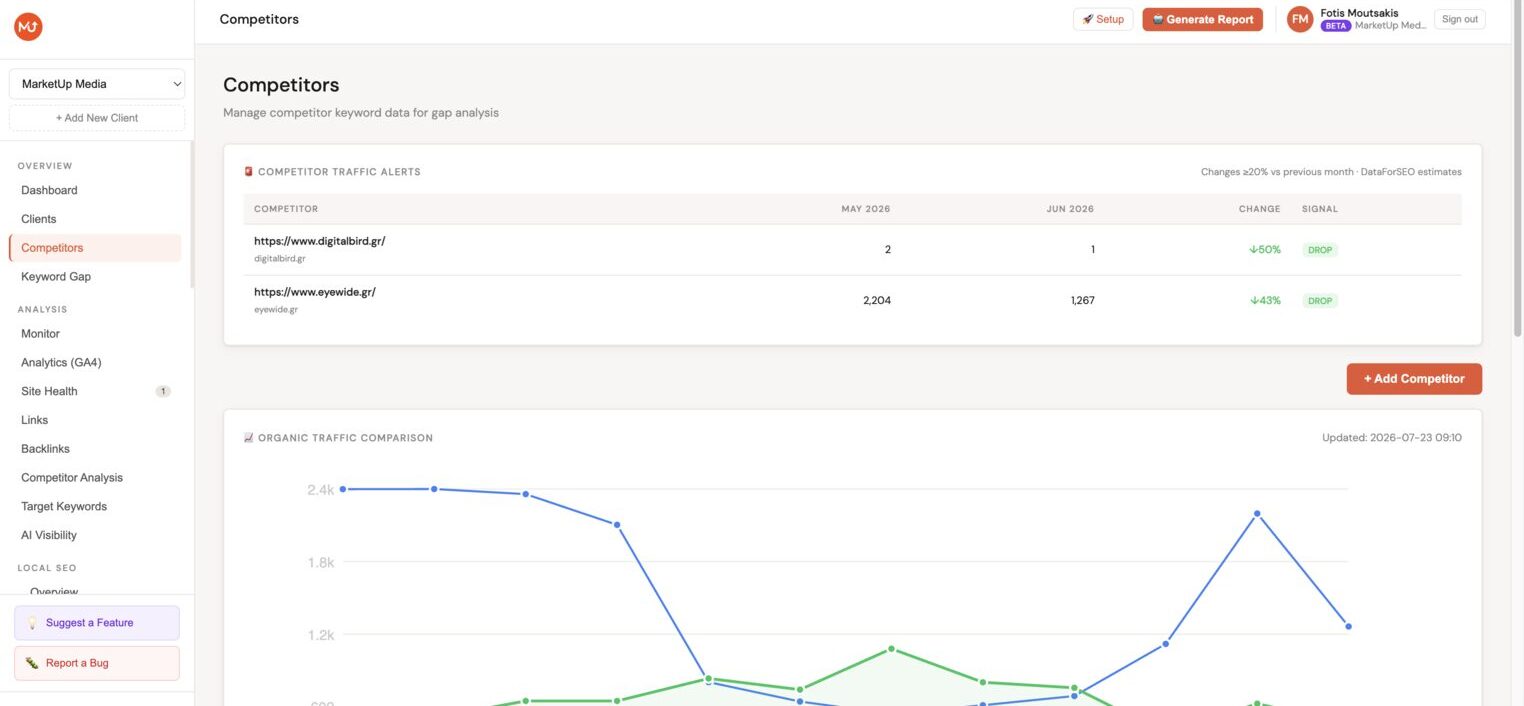
Automatically flags any competitor that surges or drops ≥20% in organic traffic month-over-month. Dashboard alerts + SURGE/DROP badges on the Competitors page.
SEO Brief Generator
One click per blog post generates a full writer brief: suggested H1, secondary keywords with search volumes, H2 outline, word count, internal links, and competitive positioning notes.
Seasonal Content Scheduling
Fetches 12-month search volume trends for your topics and schedules each post to publish 2 months before its keyword's seasonal peak. Runs silently, zero extra clicks.
See it in action
A real look at every feature, hover the tall screenshots to scroll through.
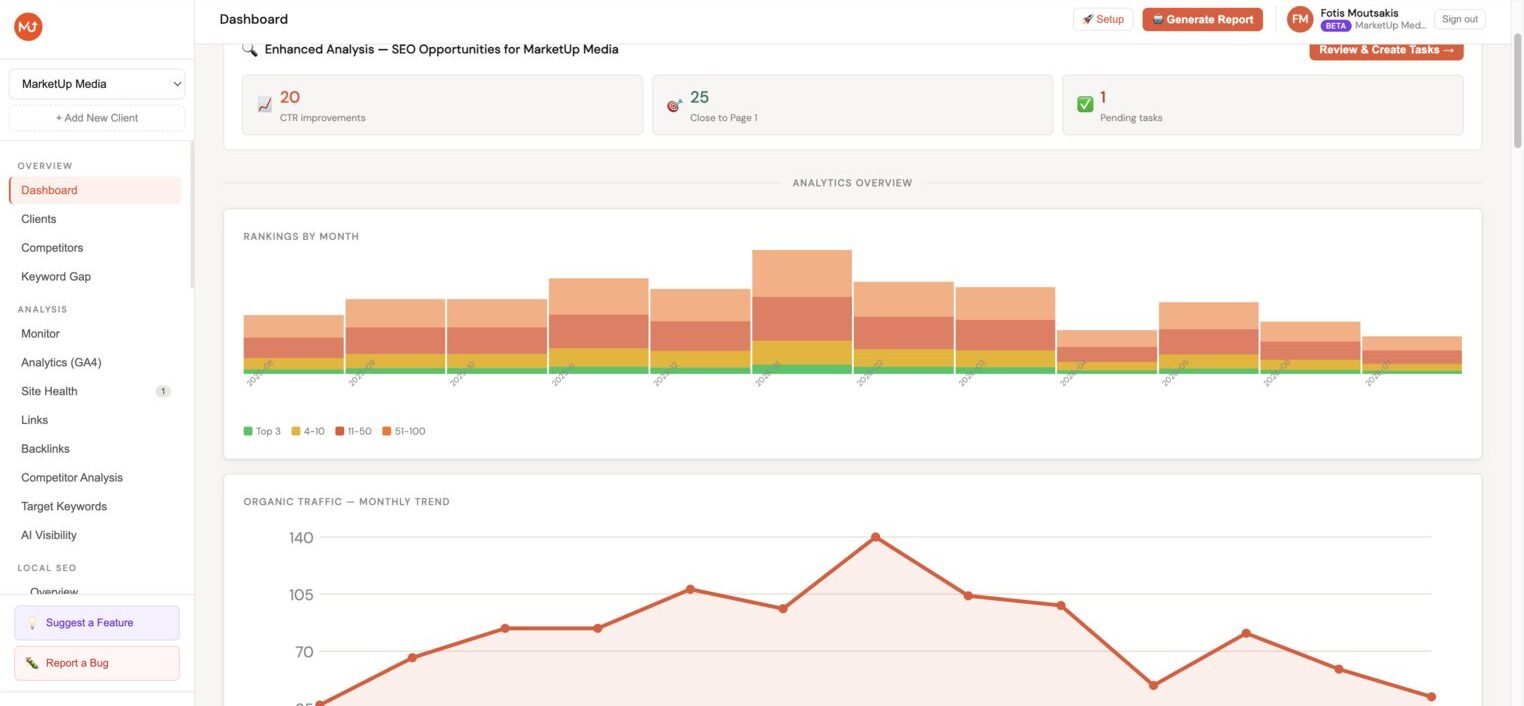
Multi-client Dashboard
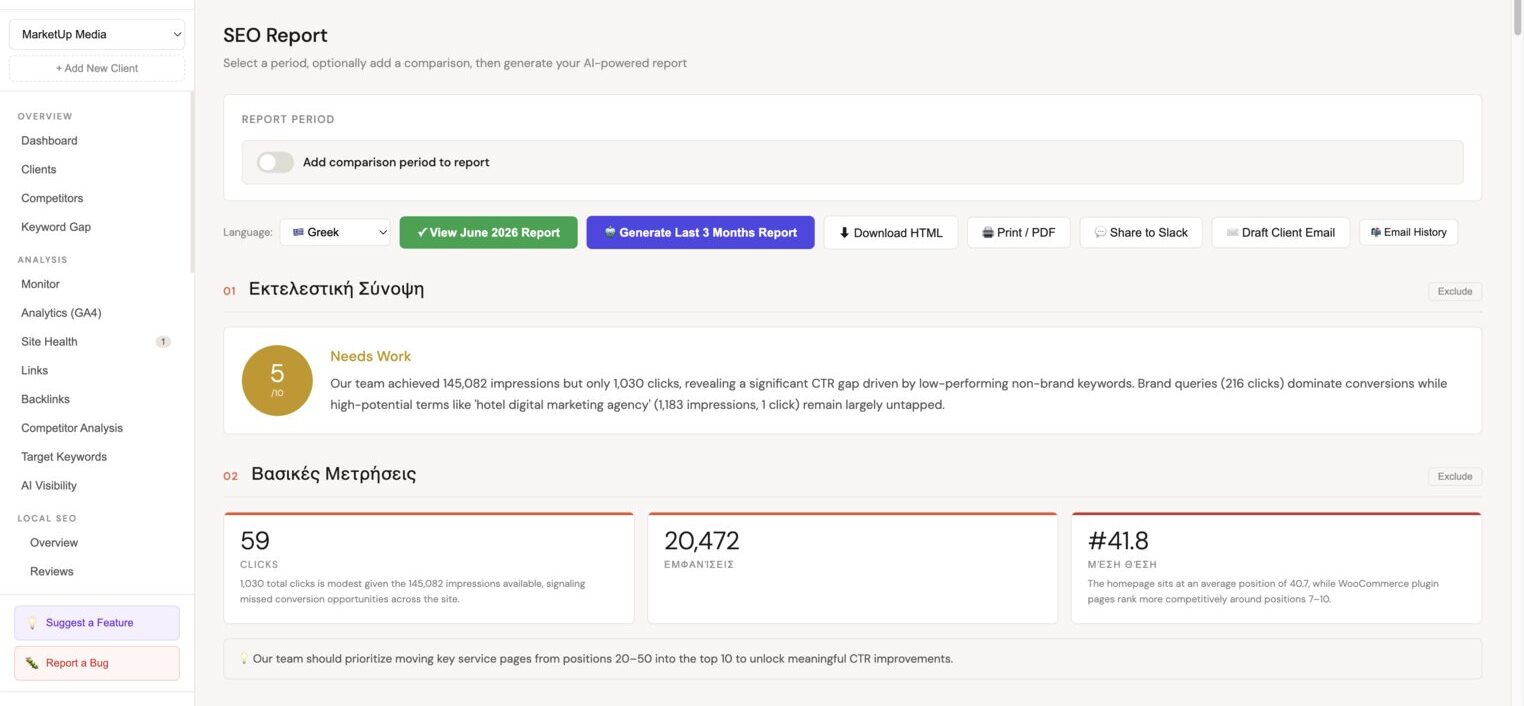
AI SEO Report
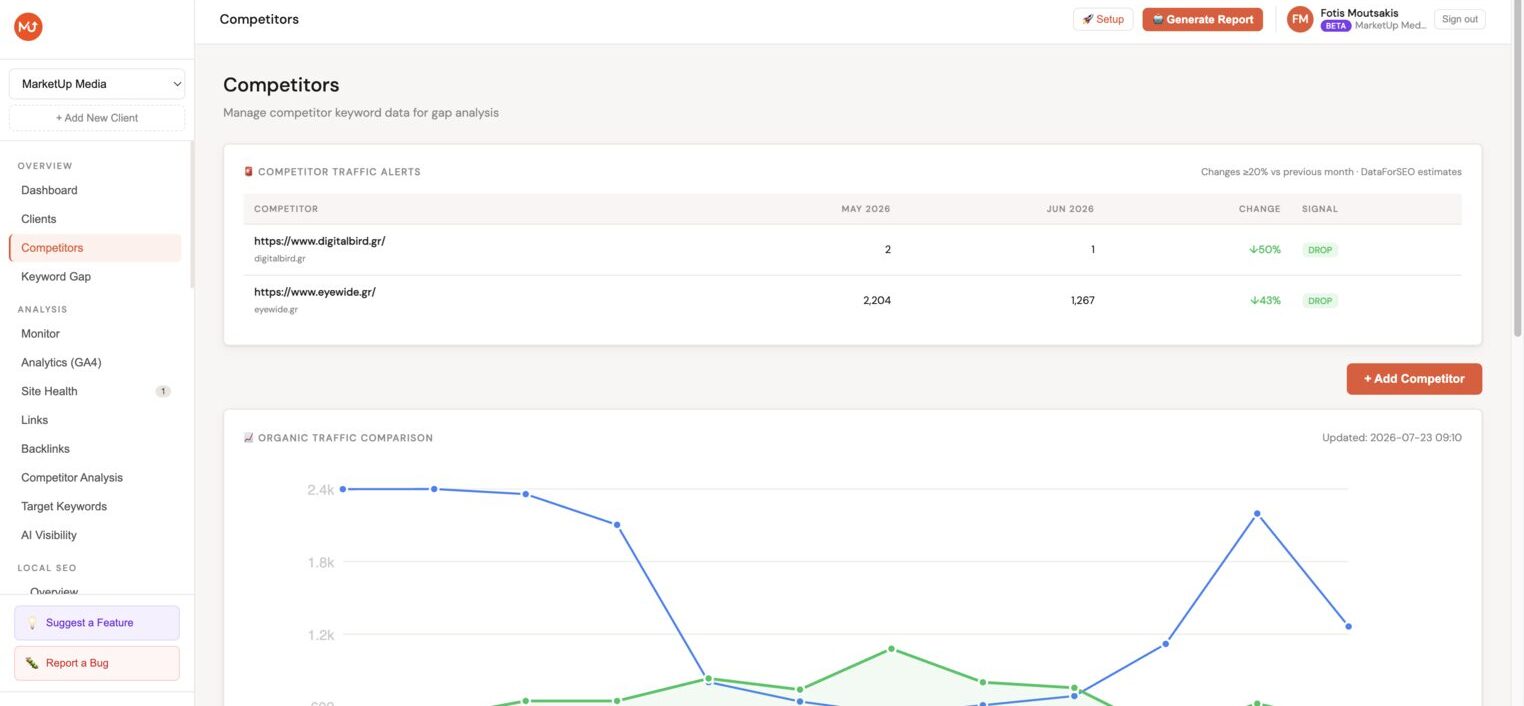
Competitor Analysis
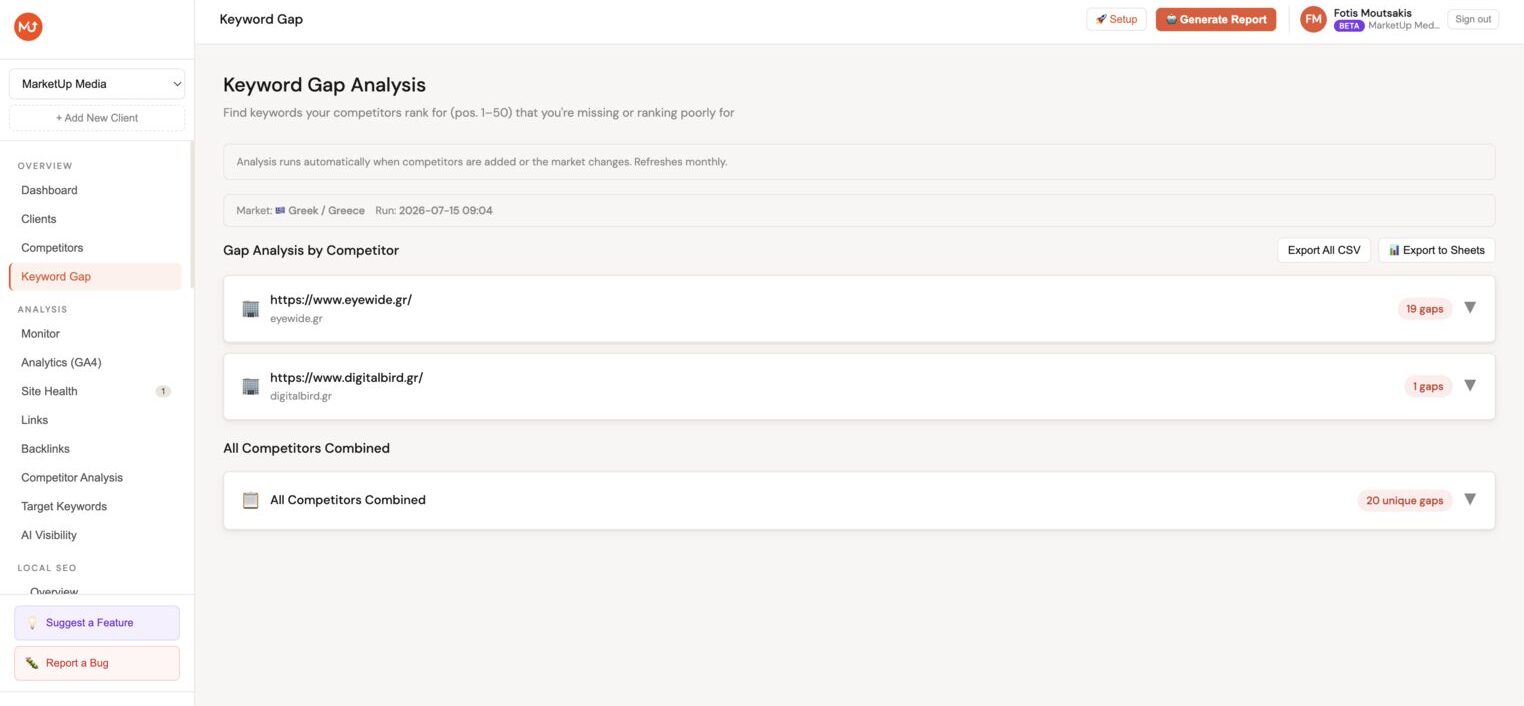
Keyword Gap Analysis
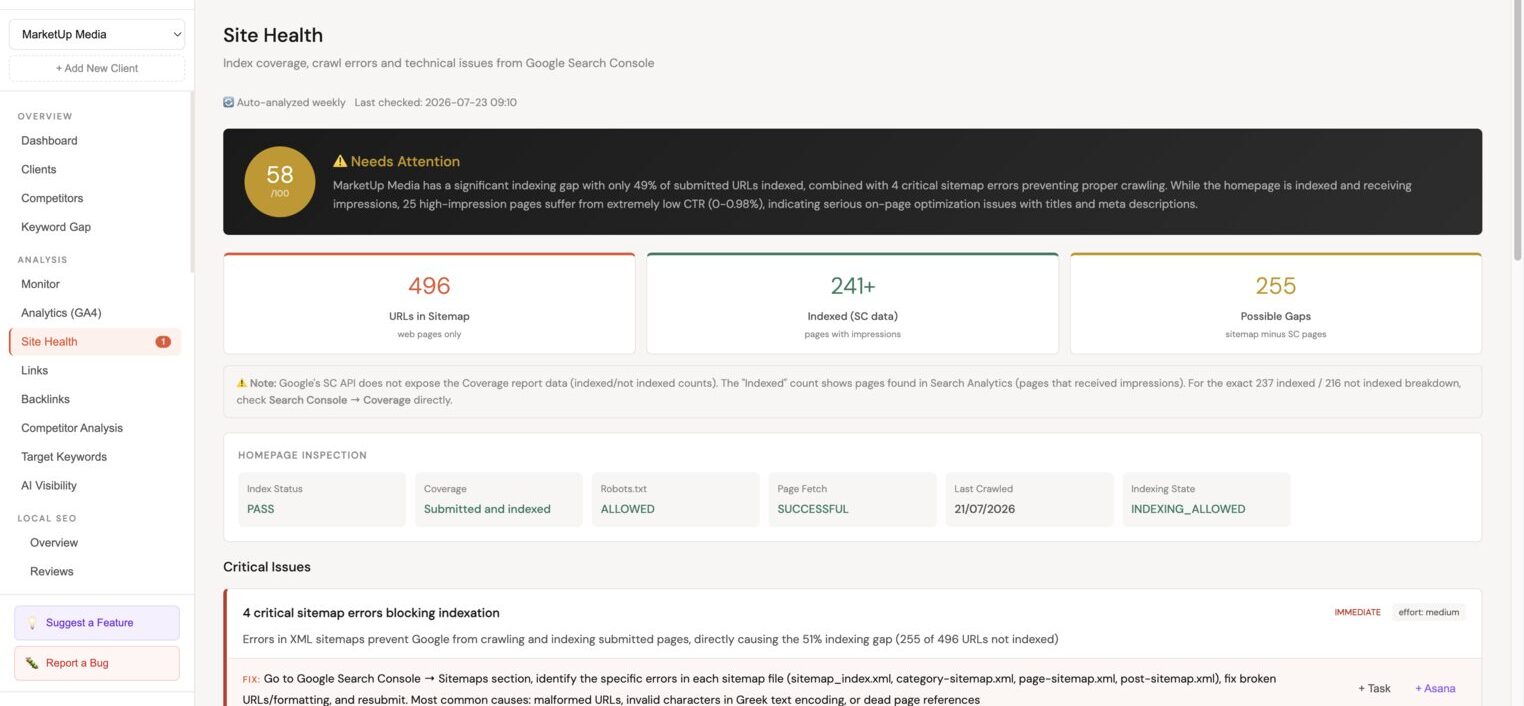
Site Health Monitoring
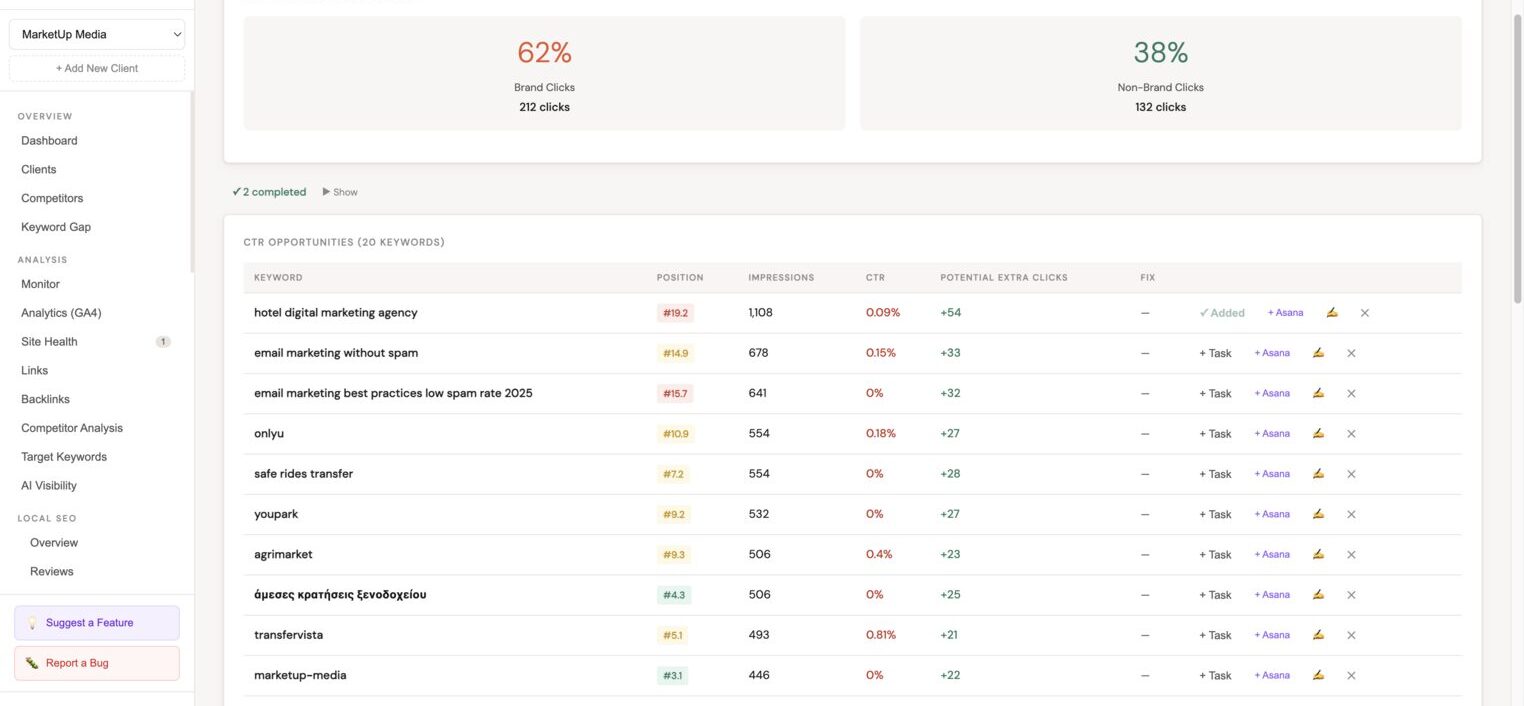
Enhanced SEO Analysis
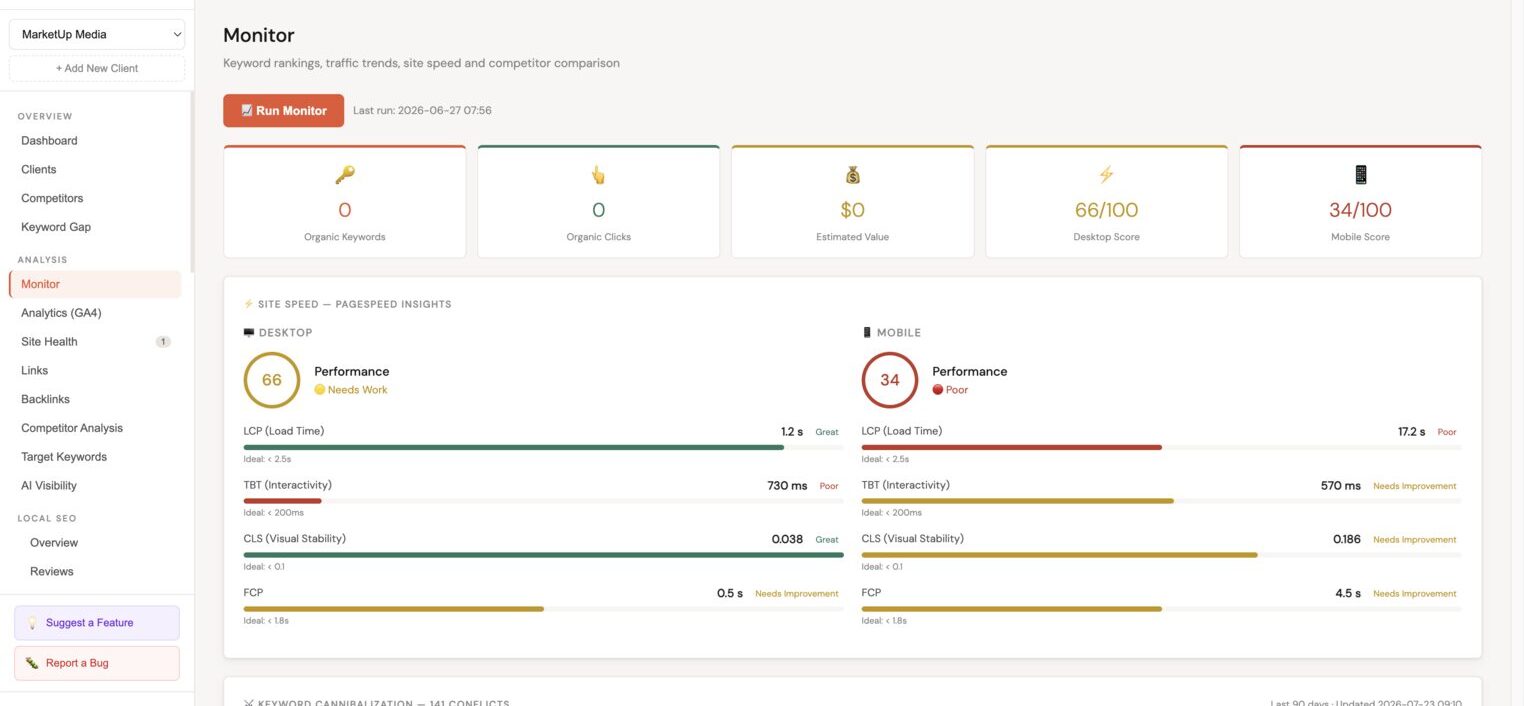
Keyword Cannibalization, Dashboard Alert
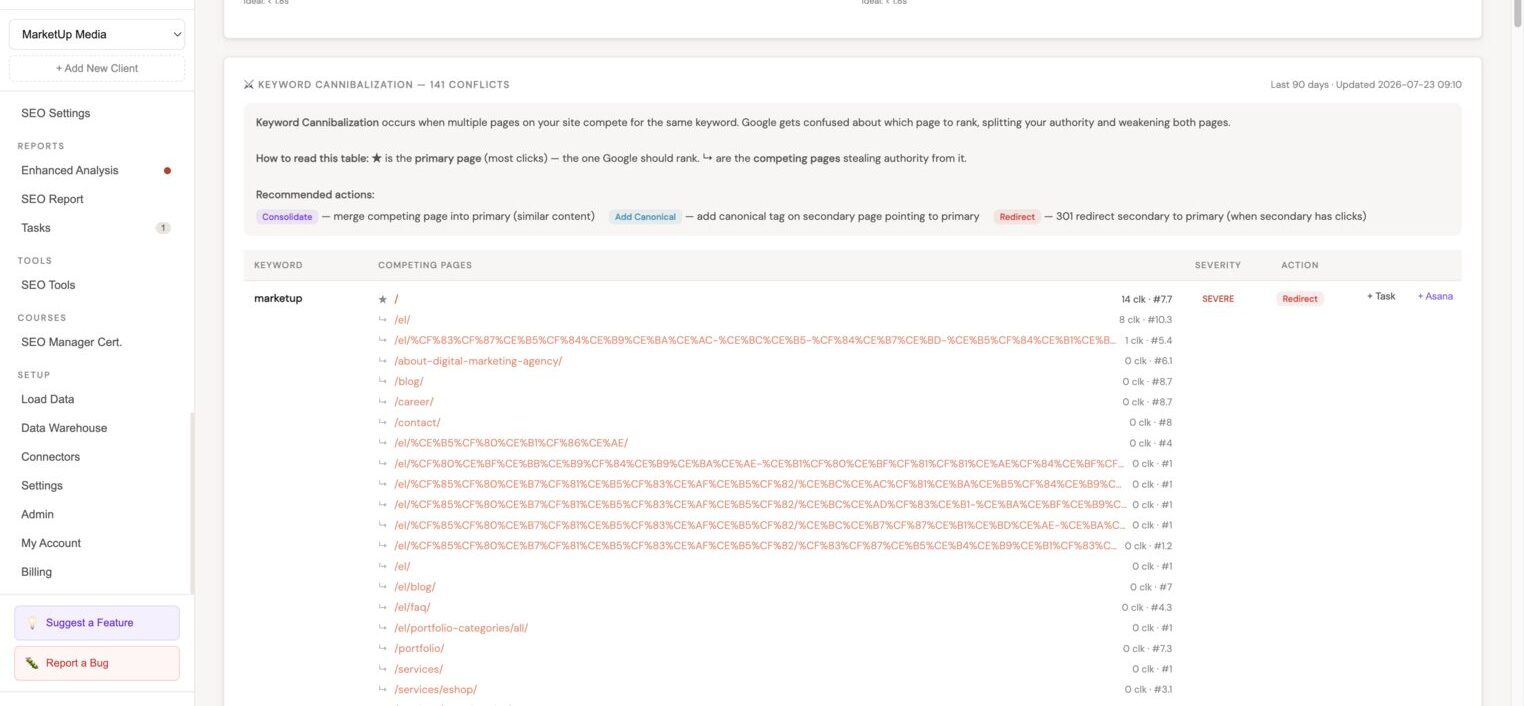
Keyword Cannibalization, Detail View
Competitive Alert System
Client Portal, Dashboard
Client Portal, Competitors View
AI Post-Report Email Draft
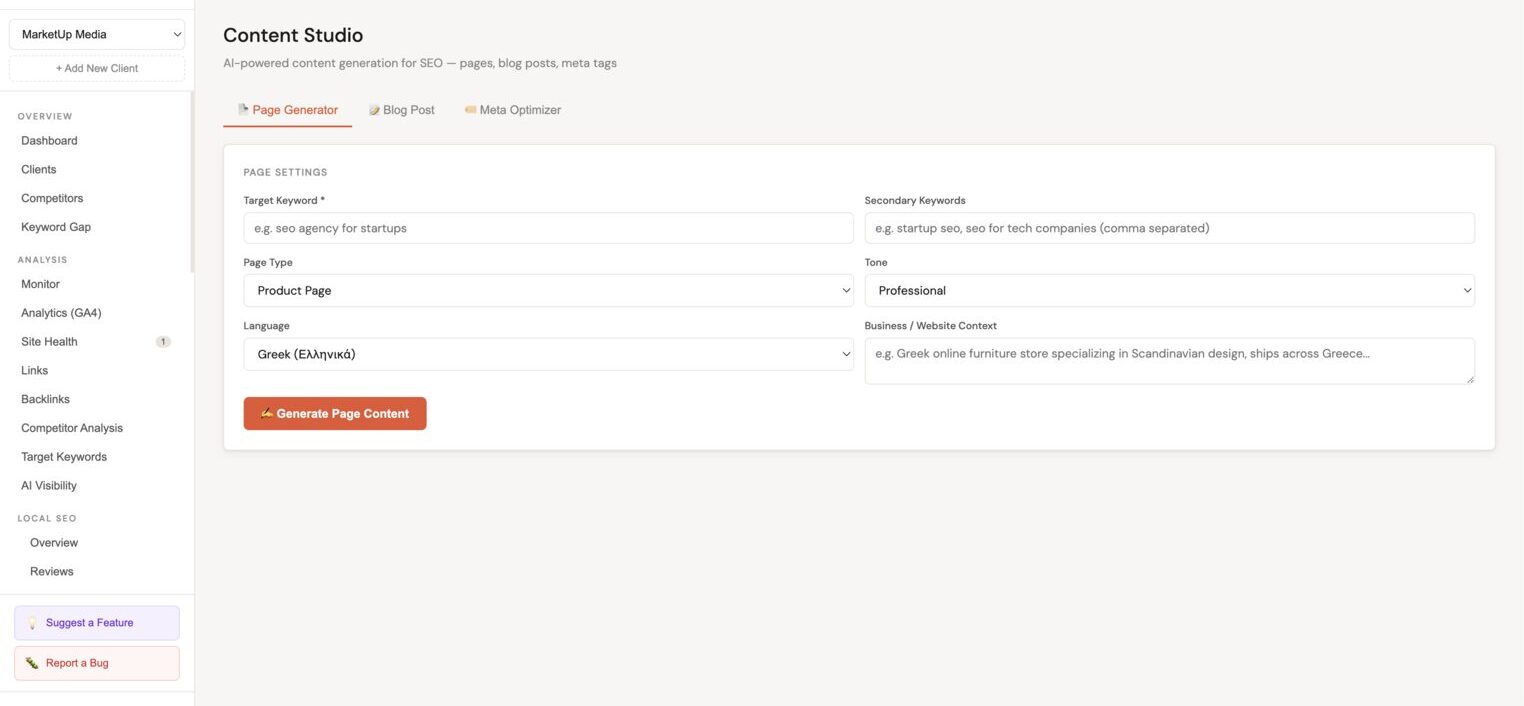
SEO Brief Generator
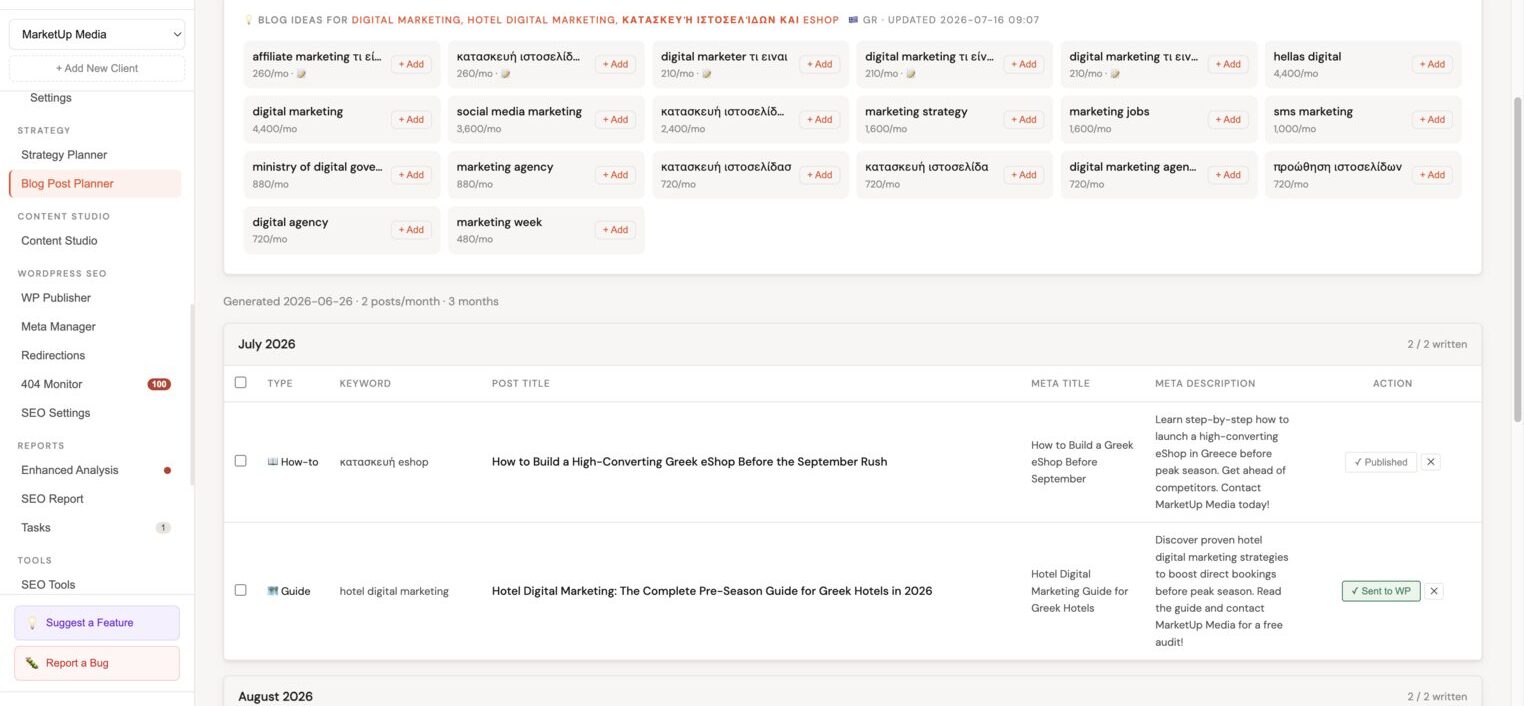
Seasonal Content Scheduling
Full local SEO management, for every client
Connect Google Business Profiles, reply to reviews with AI, schedule posts automatically, and audit profile completeness, all without leaving Minorank.
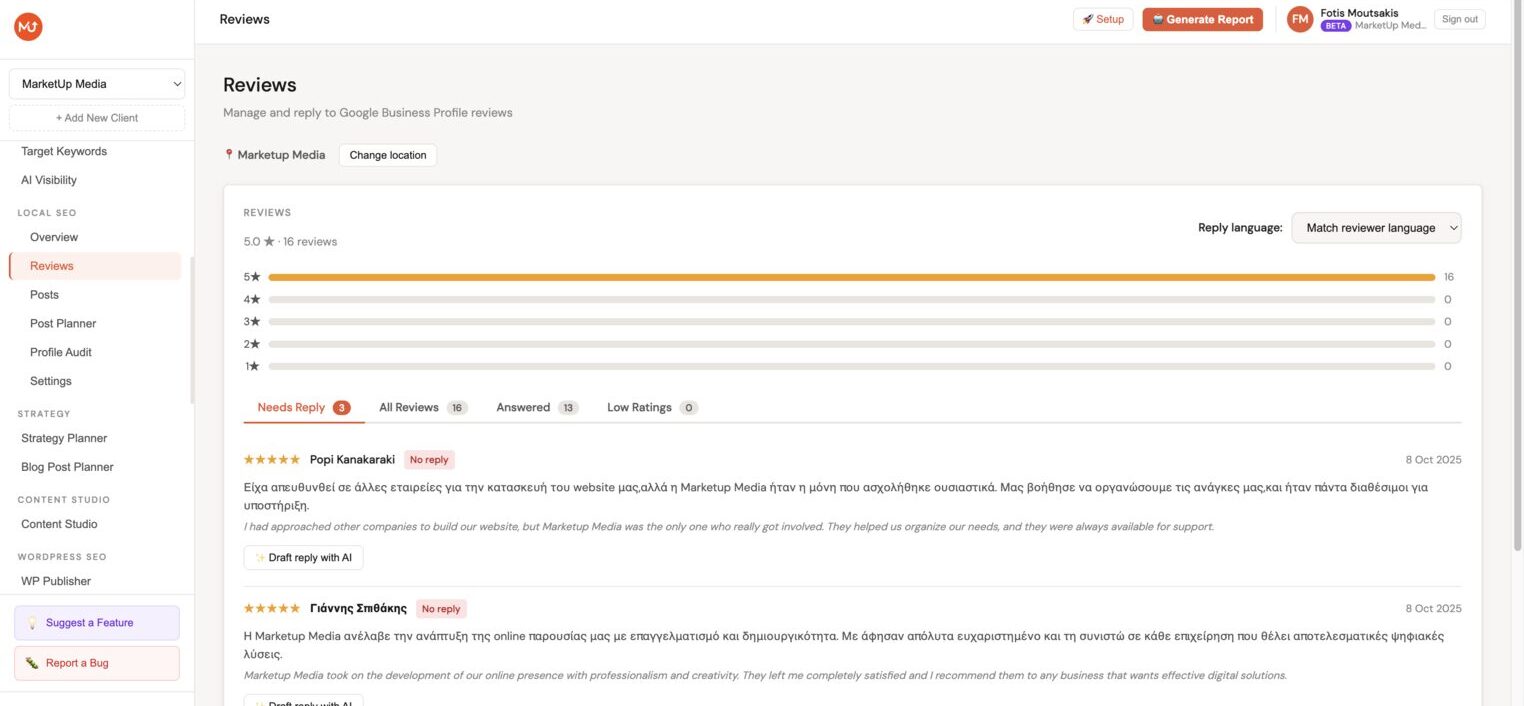
AI-powered review replies
See all your client's Google reviews in one place, filtered by needs reply, answered, or low ratings. Click "Draft reply with AI" to generate a professional response in the reviewer's language, then publish it directly to Google. Configure tone, length, keywords, and a custom signature per client.
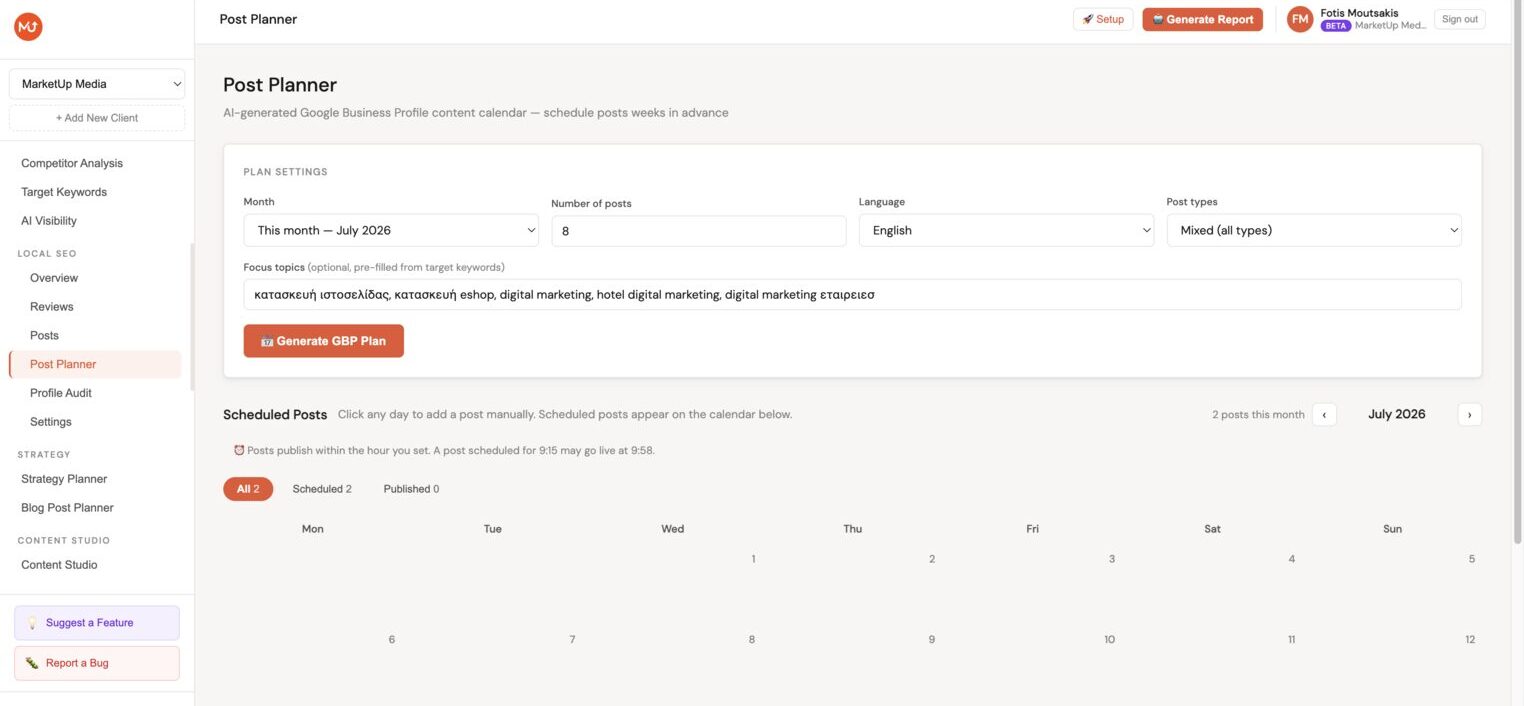
AI Post Planner with calendar scheduling
Generate a full GBP content plan in one click, the AI picks dates, post types (What's New, Event, Offer), summaries, and creates images using Stability AI or Gemini Imagen. Schedule everything to publish automatically. The calendar view shows all scheduled posts month by month so you can manage, edit, or publish on the spot.
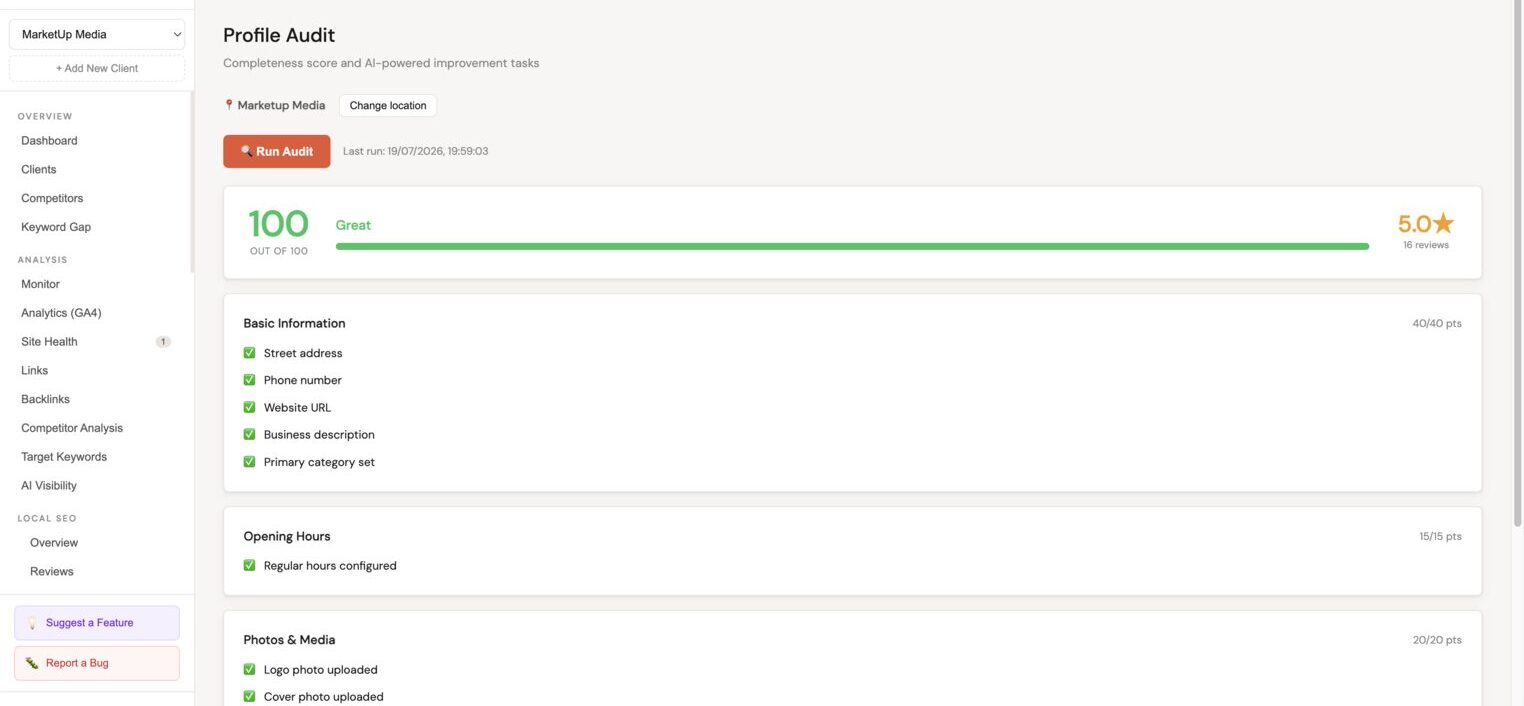
Profile Audit, score & fix in one place
Run a completeness audit and get a score out of 100 across five sections: Basic Information, Opening Hours, Photos & Media, Posts Activity, and Reviews Engagement. Every failed check shows a Fix button, click it to update the phone, website, description, hours, or photos and push the change directly to Google without opening Google Business Profile.
Ready to streamline your agency's SEO workflow?
Get started for free. No credit card required during beta.